Procurement Workspace
Video transcript
00:04 — Procurement Workspace
The Procurement Workspace is an AI sourcing notebook. Search distributor catalogs for real, in-stock parts, and curate a shortlist — here, motor controllers for an electric drivetrain. Every candidate carries its specifications, pricing and availability, and moves through a clear lifecycle — exploring, shortlisted, contacted, quoted — with a managed request-for-quote thread per supplier. Compare the finalists side by side, then push the winner straight into your bill of materials. Sourcing decisions, documented and connected to the rest of your design.
What it does
The Procurement Workspace turns a hardware design into purchasable parts. For each buying decision you create a workspace, search the web and electronics part catalogs for candidate parts/suppliers, capture quotes, let the AI compare the options Pugh-style, and commit a sourcing decision that pushes to your BOM. It is an AI-assisted procurement notebook — search → curate → decide → buy — not an auto-scraping marketplace.
Why it matters
Sourcing is where a design meets reality: the right part at the wrong price, lead time, or supplier sinks a build. Engineers normally juggle this across spreadsheets, distributor tabs, WhatsApp chats with suppliers, and email RFQs. The Procurement Workspace keeps the whole loop — candidates, quotes, supplier conversations, internal reviews, the comparison, and the decision — in one place, grounded in the same hierarchy node that holds the design's requirements and cost target.
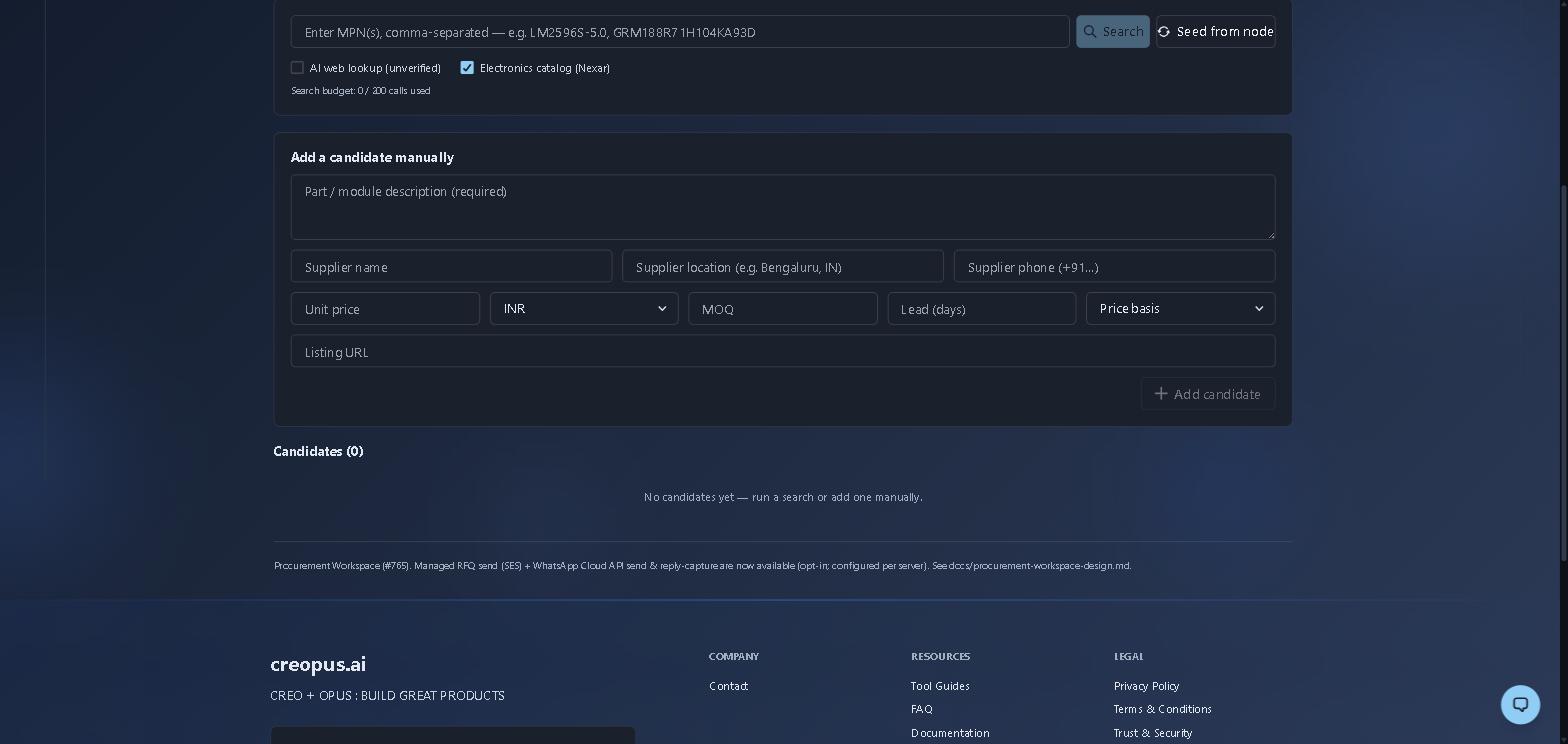
A freshly created workspace, before any sourcing. Two things worth noticing: the search budget counter (the electronics catalog is a metered quota, so the workspace shows you what you have spent), and the fields on the manual form — currency, MOQ, lead time and price basis are captured per quote, which is what lets the later comparison normalise quotes that are not quoted on the same terms.
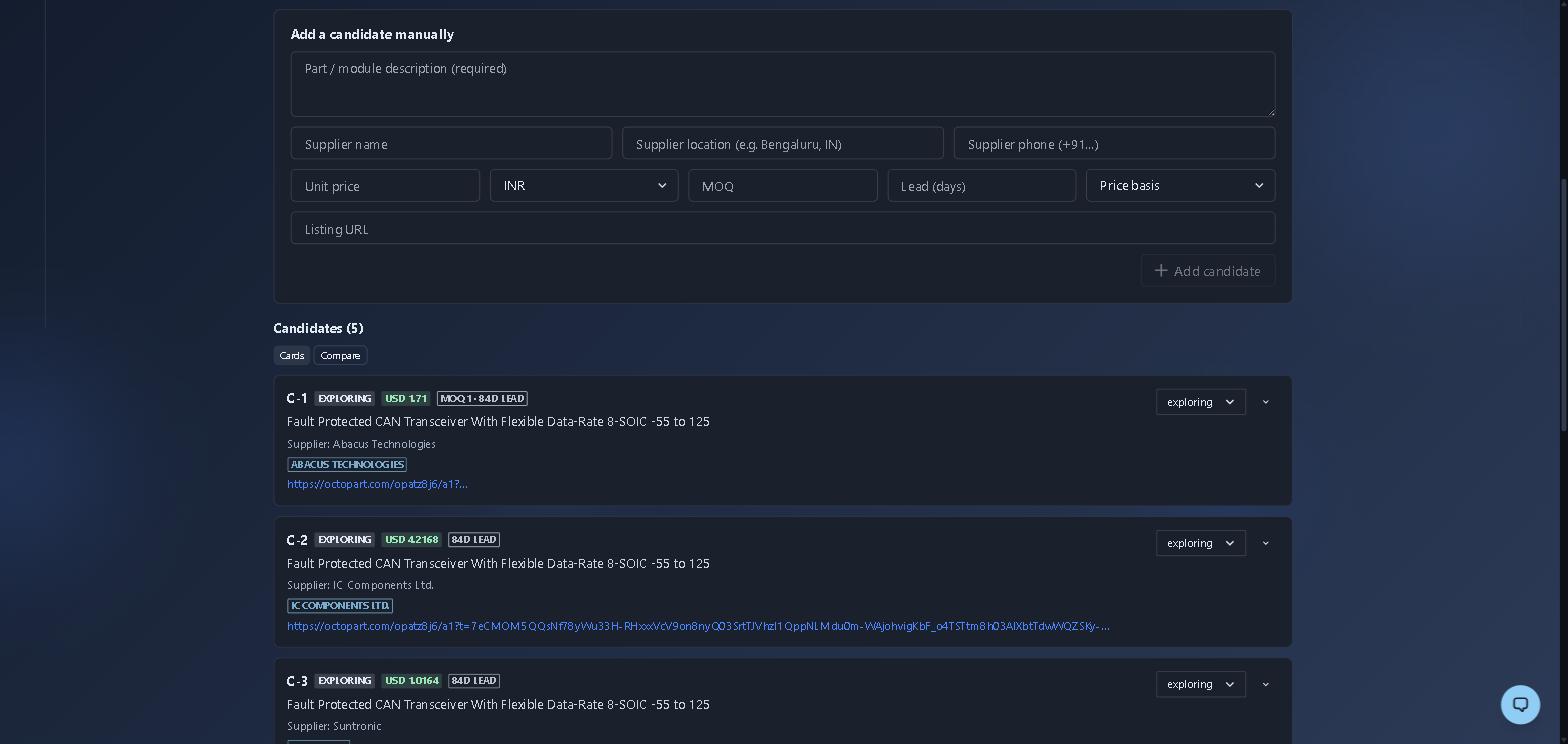
After a single catalog lookup on one MPN: five offers for the same part, from USD 1.02 to USD 4.22 — a 4× spread on identical silicon, all at 84-day lead. That spread is the whole reason this tool exists. Each candidate keeps its source link so a quote can be re-checked, and carries a status you move through as you curate (exploring → shortlisted → rejected, with a reason).
How it works
- Link to a hierarchy node so the AI compare grounds scoring in that node's down-allocated cost target, requirements, and region preference (a standalone workspace works too, just ungrounded).
- Search — type a part number for the electronics catalog (Nexar/Octopart, cache-first to protect a metered quota), or a plain-English description with AI web lookup to pull unverified web leads. A per-class catalog toggle avoids wasting catalog lookups on mechanical parts.
- Curate — reject junk (with reasons), shortlist real options, and record investigated quotes (price, currency, MOQ, lead time, price basis, supplier location). Run supplier-facing email/WhatsApp conversations and internal teammate reviews on clearly separated lanes.
- Compare — a Pugh-style AI matrix scores the non-rejected candidates on weighted criteria (price, spec-fit, lead time, supplier trust, local supplier). Numeric criteria are scored deterministically from the real values, with price normalized for GST basis and currency so quotes compare like-for-like; a spec-fit gate stops a cheap-but-wrong part from winning.
- Decide — pick the winner (or override with a rationale), draft an RFQ email/WhatsApp, and commit. The decision produces a push-to-BOM payload (part, supplier, location, unit cost, basis, MOQ, lead).
Key capabilities
- Node-grounded AI compare — scoring anchored to your hierarchy's cost target and requirements.
- Cache-first catalog + web search — Nexar/Octopart part lookups with quota discipline, plus opt-in web leads for non-electronics parts.
- Quote capture with price basis — ex-works / landed / MRP-incl-GST / ex-GST, so mixed-basis quotes are comparable.
- Two-lane communication — a supplier-facing conversation (email + WhatsApp) kept visually distinct from an internal team thread the supplier never sees.
- Evidence + annotation — attach supplier quotes, part photos and datasheet snippets, and box/pin specific regions.
- Push-to-BOM — a committed decision flows into the BOM with full sourcing provenance.
Procurement is a shared platform tool: it lives under your System Hierarchy nodes, supports revisions and team review like the other tools, and pairs naturally with the BOM Completion tool.