System Hierarchy & Traceability
Video transcript
00:04 — System Hierarchy
Every artifact in Creopus — requirements, FMEAs, verification plans, bills of materials — attaches to a node in your product hierarchy, a five-level V-model from the system down to a subassembly. Here is the whole smart door lock as one tree. Click any node — the Main Control Board — and a full engineering workbench opens: its V-model properties, the requirements derived at that level, every attached artifact, and the verification coverage matrix — the traceability health for that node and everything under it. One connected model, from the system down to the last component.
What it does
Every hardware product is modeled as a 5-level hierarchy: system → work_package → subsystem → assembly → subassembly. Every artifact (requirements, FMEAs, DVPs, block diagrams, BOMs) attaches to a node. Every traceability link is automatic.
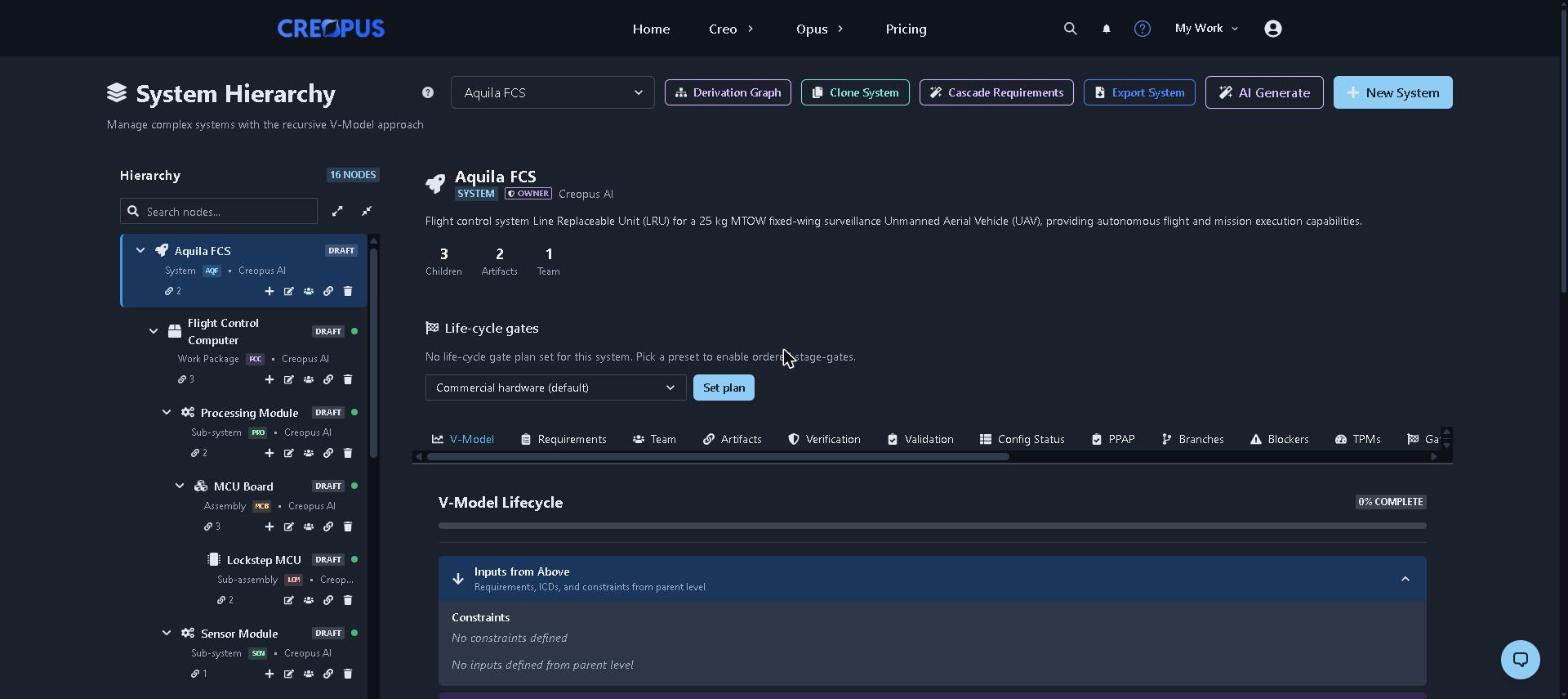
Aquila FCS — a 16-node flight control system across all five levels. The left rail is the tree; the tabs across the middle are the views that hang off whichever node you select.
Why it matters
When a recall hits, regulators ask: "Show me every requirement that drove this safety-critical part." In document-based systems, this is a multi-week archeology project. In Creopus, it's one click.
How it works
- Materialized path storage — fast tree queries, deep nesting without join hell.
- Ancestor-inherited team permissions — add a reviewer to a system node and they see all children automatically.
- Visibility flags — public (for community/Discover page), team, or private.
- Cross-artifact linking — every FMEA row, DVP test, BOM line traces back to specific requirements.
Use cases
- Compliance audit prep — generate full requirement-to-test traceability matrix in seconds.
- Design review packets — one URL contains the full hierarchy snapshot.
- Regulatory submissions — IEC 62304, ISO 26262, ISO 13485 traceability.