Engineering Calculators
Video transcript
00:04 — Design Calculator
The Design Calculator is a library of verified engineering calculators — voltage dividers, power budgets, thermal, RC timing and more — each with its formula and assumptions written down. Pick one, enter your inputs, and get an instant, traceable result: the value, the working, and the units. Save it against a node and it becomes evidence you can cite — engineering math that is checked, and connected to the rest of your design.
Registry-driven engineering math, versioned against the node.
What it's for
A registry of engineering calculators with structured Inputs and Outputs. Each output shows the calculated value, unit, and formula, with validation warnings where applicable. Saved results become versioned, node-linked Calculation artifacts with a frozen formula snapshot for reproducibility.
When to use it
Use Engineering Calculators whenever you need a defensible calculated value tied to the design and traceable to the calculation inputs and formula.
How it works
-
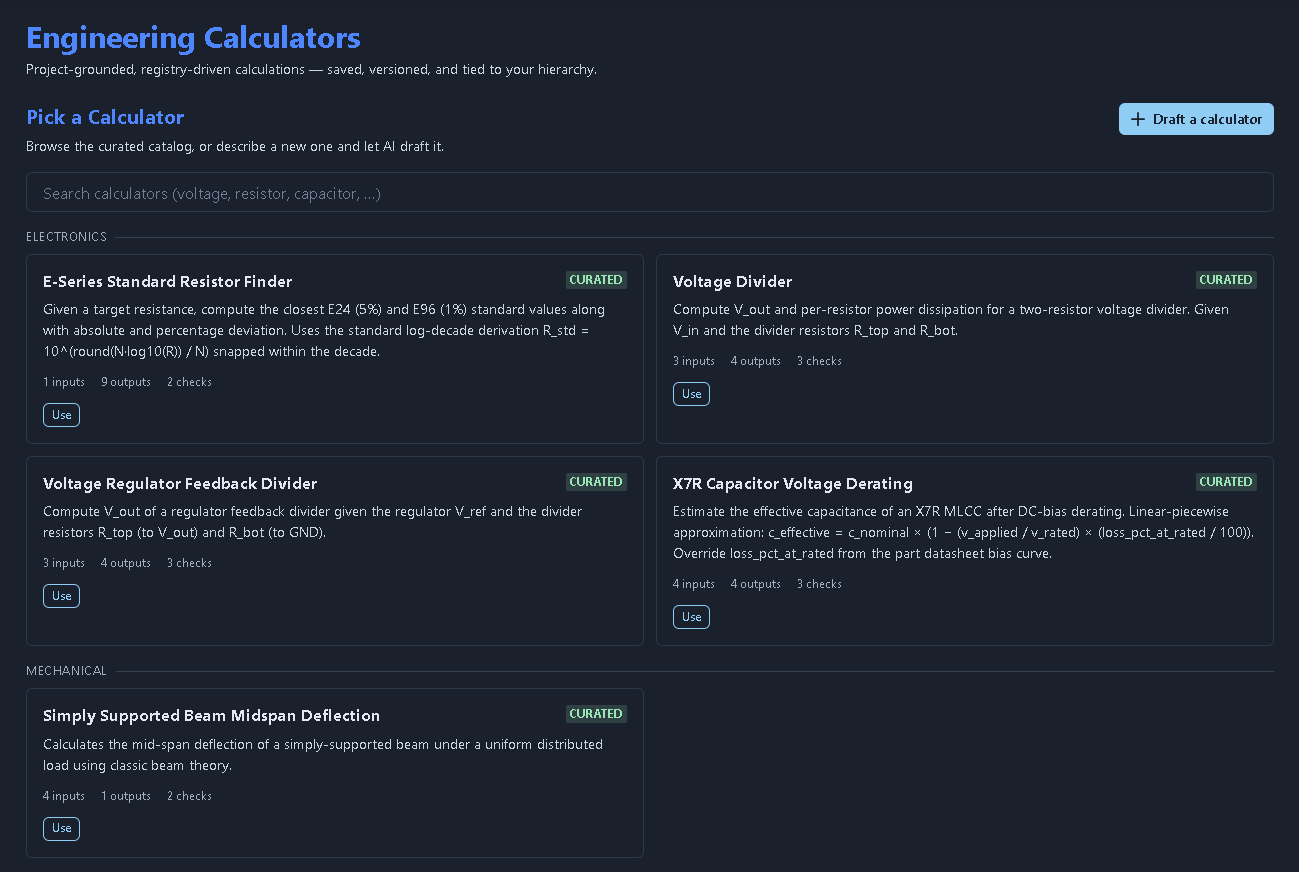
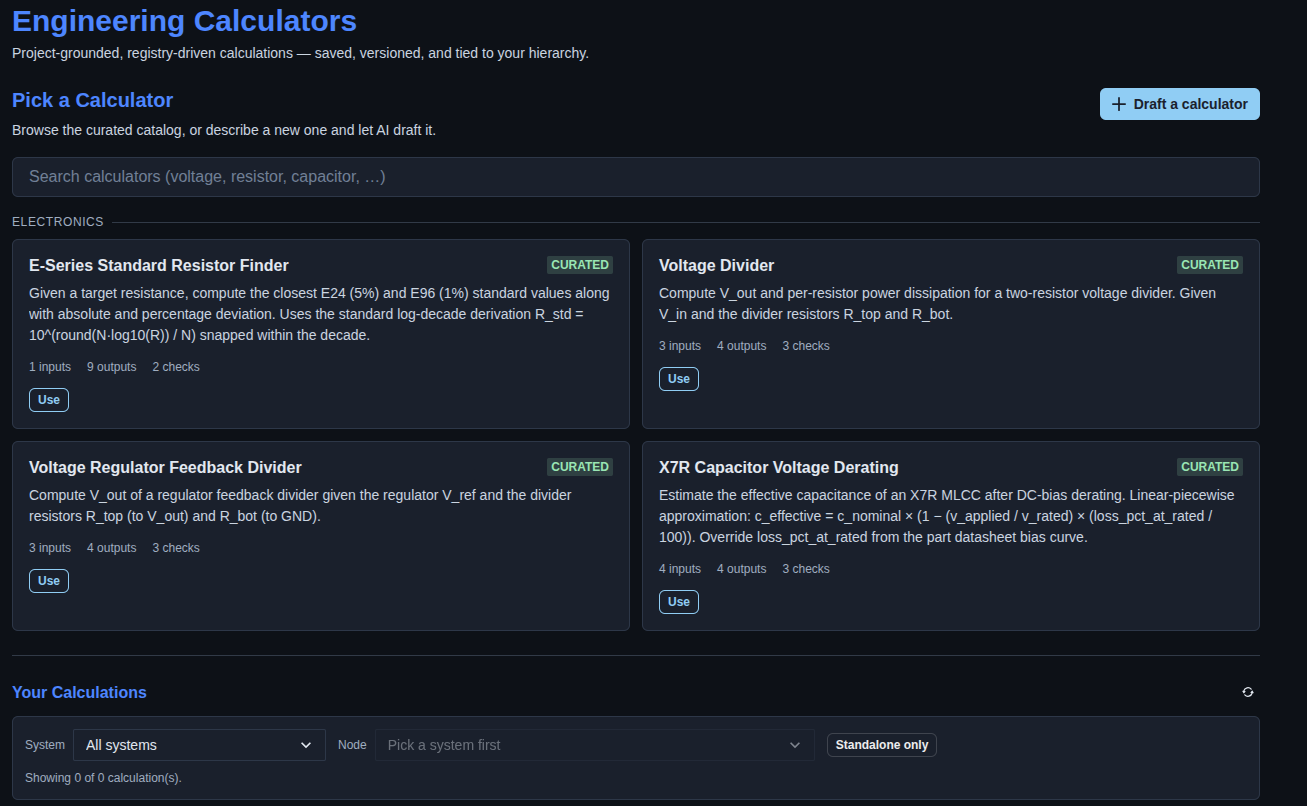
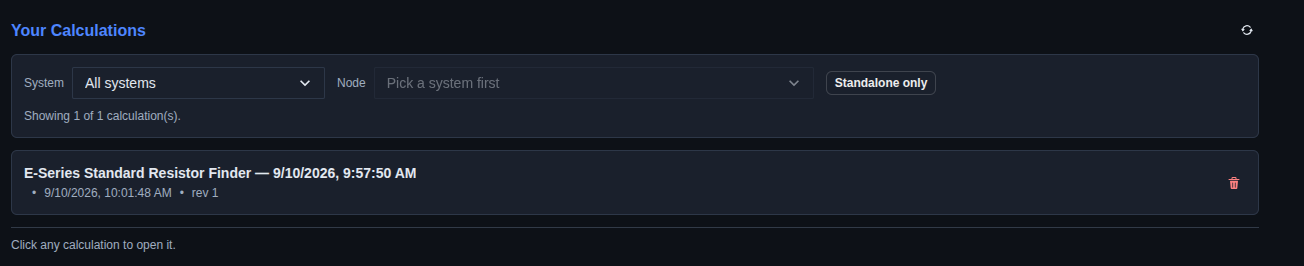
Choose an engineering calculator. → Browse the curated Engineering Calculators catalog or search for a calculator by entering keywords such as voltage, resistor, or capacitor. Select “Use” on a calculator to open it, or click “Draft a calculator” to create a new calculator with AI assistance. The “Your Calculations” section displays saved calculations and provides filters for System and Node.
▶ Choose an engineering calculator▼ Choose an engineering calculator
-
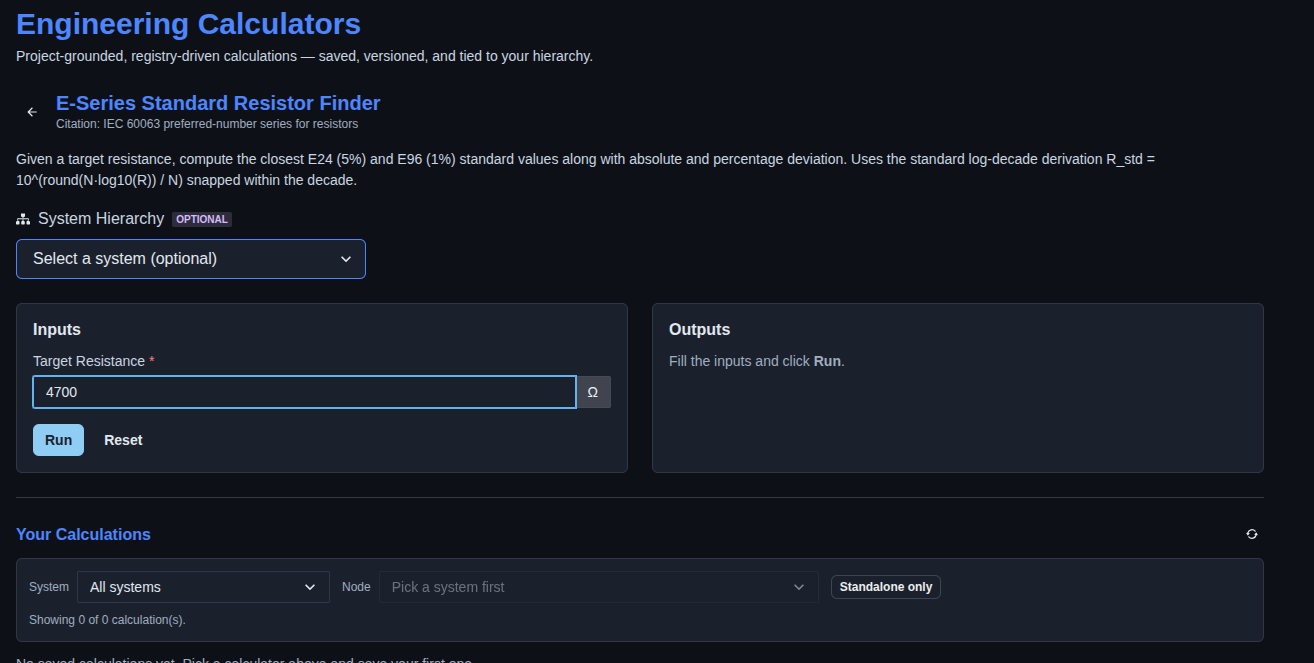
Enter the calculator inputs and run the calculation. → Enter the required input value for the selected calculator, then click “Run” to calculate the results. The calculated values are displayed in the “Outputs” section.
▶ Enter inputs and run calculation▼ Enter inputs and run calculation
-
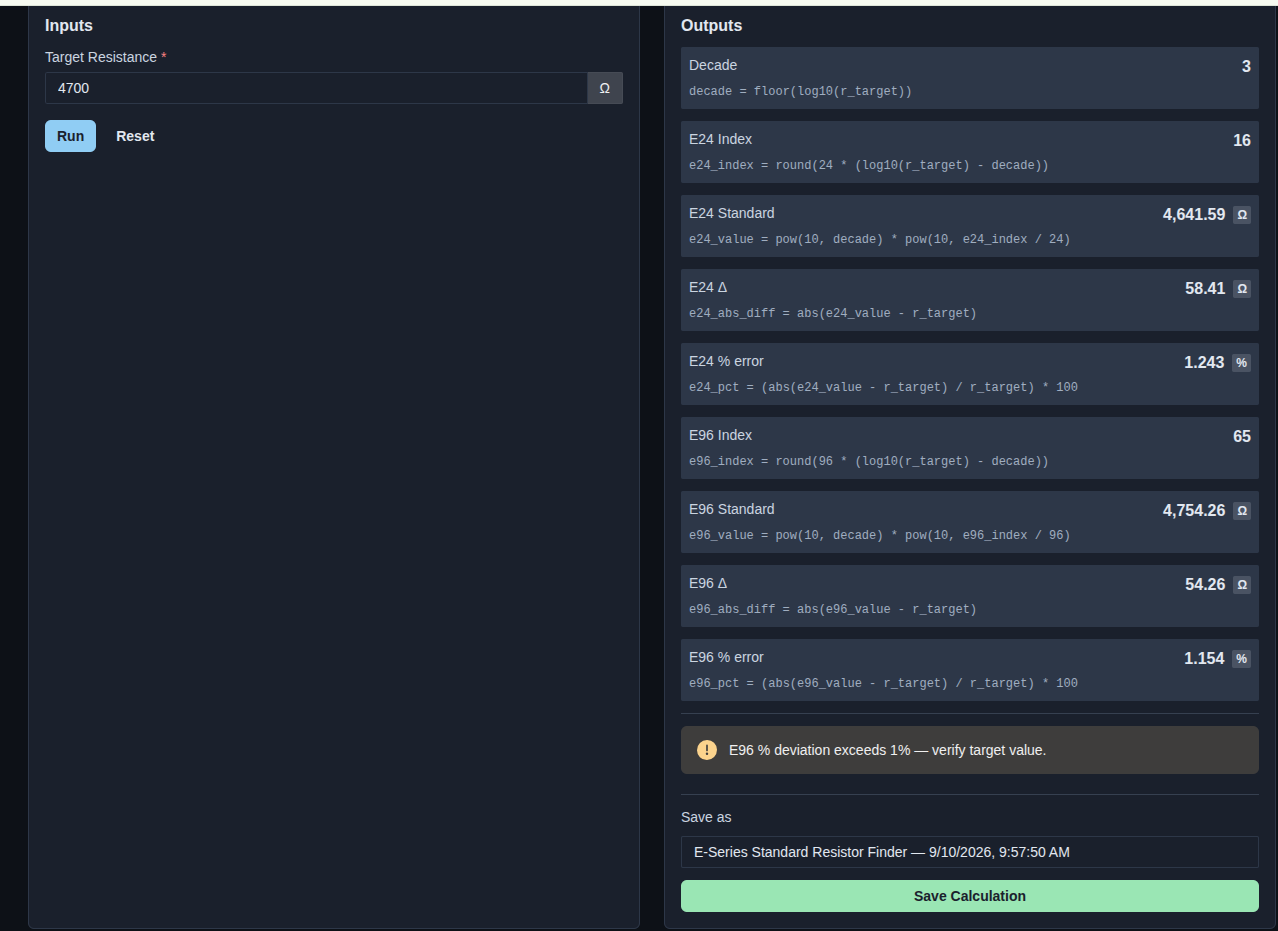
Review the calculation results. → Review the calculated outputs for the selected calculator, including the Decade, E24 Index, E24 Standard, E24 deviation and error, E96 Index, E96 Standard, E96 deviation and error. Review any warning displayed when the calculated deviation exceeds the applicable limit.
▶ Calculation results▼ Calculation results
-
Save the calculation. → Review or update the calculation name in the “Save as” field and click “Save Calculation” to save the calculated result for future reference.
▶ Save calculation▼ Save calculation
-
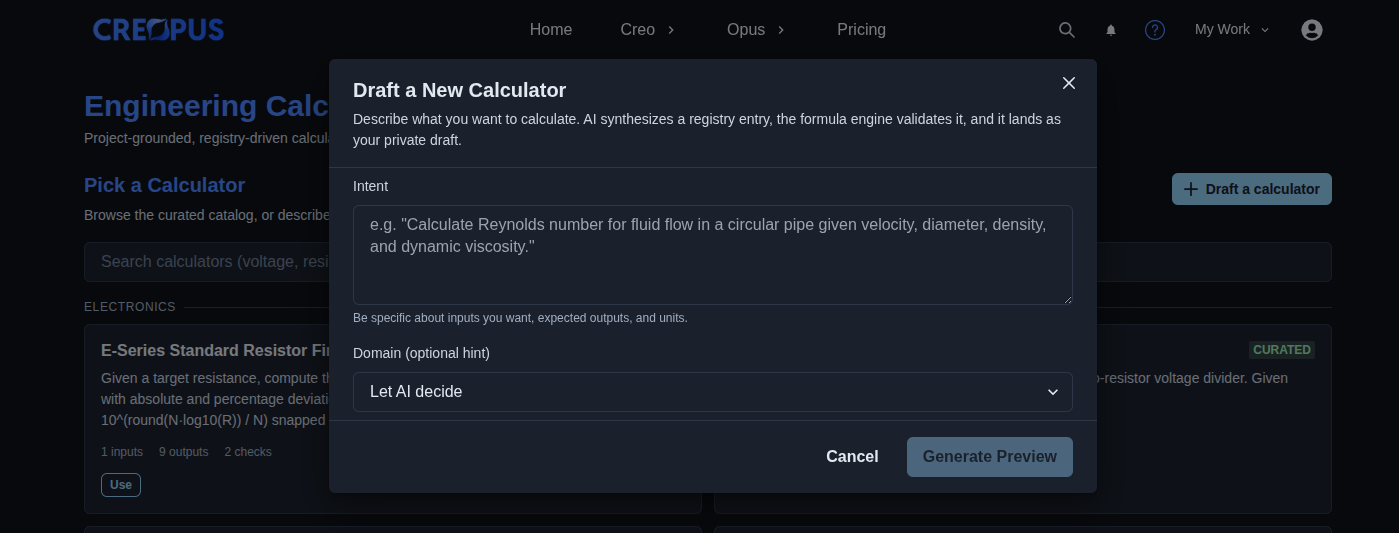
Draft a new calculator. → Click “Draft a calculator” to open the “Draft a New Calculator” dialog. Enter a description of what you want to calculate in the “Intent” field, including the required inputs, expected outputs, and units. Optionally select a domain or leave it as “Let AI decide,” then click “Generate Preview” to generate the calculator draft.
▶ Draft a new calculator▼ Draft a new calculator
-
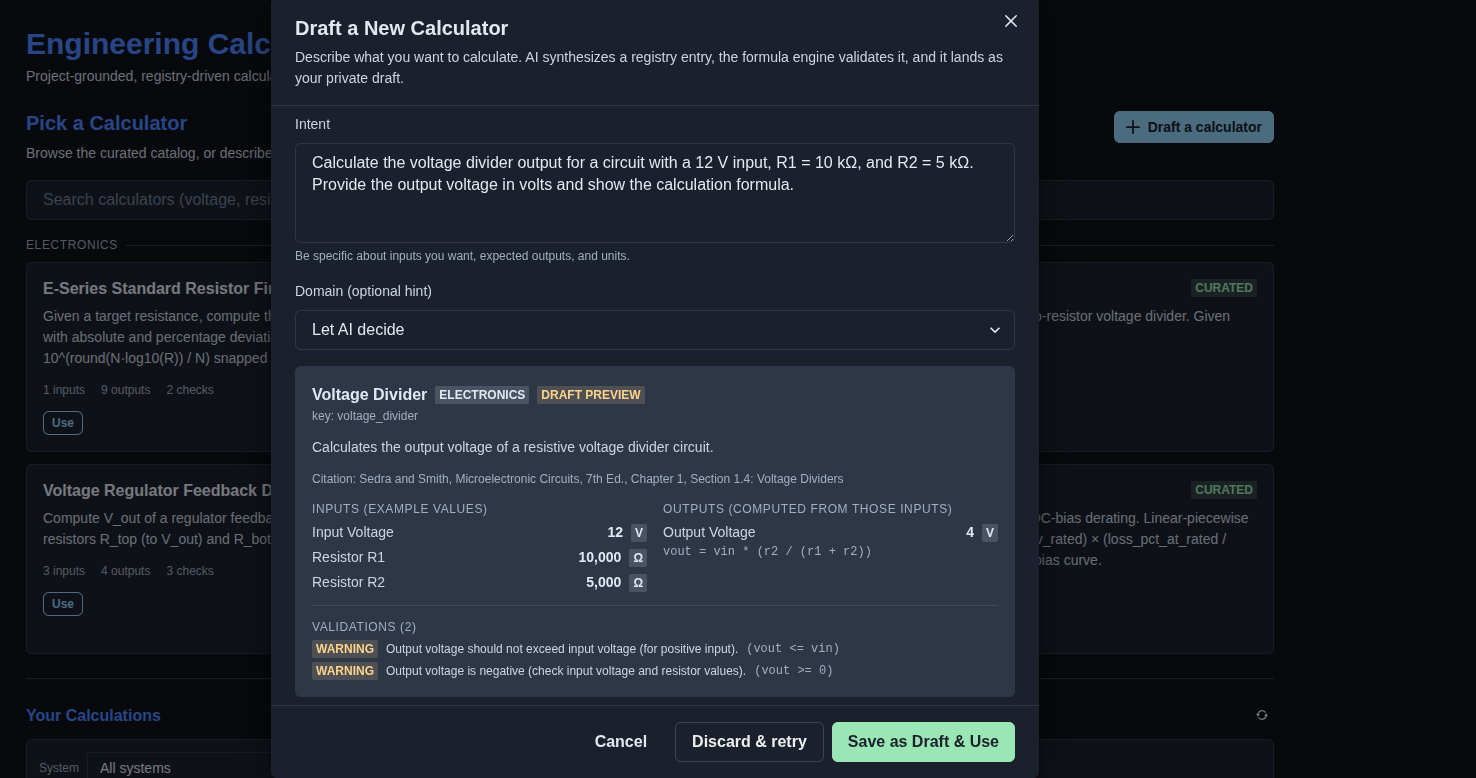
Review the draft calculator preview. → Review the AI-generated calculator preview, including the calculator name, domain, description, citation, input fields, calculated outputs, formulas, and validation warnings. Check that the proposed inputs, outputs, units, and calculation logic match the intended calculation. Click “Discard & retry” to revise the draft or click “Save as Draft & Use” to save the calculator and open it for use.
▶ Draft calculator preview▼ Draft calculator preview
Mechanics
- Curated registry of engineering calculators
- Deterministic formula execution with no LLM at run time
- Input and output fields with units
- Formula transparency showing the calculation used for each output
- Built-in validation and warnings for calculated results
- Optional System Hierarchy linking
- Save calculations for future reference
- AI-assisted calculator drafting with preview and validation
- Draft calculator workflow with Save as Draft & Use or Discard & retry
- Versioned, node-linked calculation results
- Community drafts with curator review
- Calculator results can seed Parts Finder and support Implementation Workspace findings