Control Plan
Document the control strategy for every process step — from prototype through production.
What it's for
A Control Plan operationalizes PFMEA risk reductions into shop-floor reality. It defines specifications, measurement systems, sampling frequencies, control methods, and reaction plans for every critical product and process parameter. Through the Derive from PFMEA feature, controls identified for High and Medium Action Priority causes—alongside designated Special Characteristics—are imported directly into the plan, ensuring complete traceability and compliance with AIAG-VDA standards.
When to use it
Use a Control Plan to define manufacturing controls, inspection methods, and reaction plans for a production process.
How it works
-
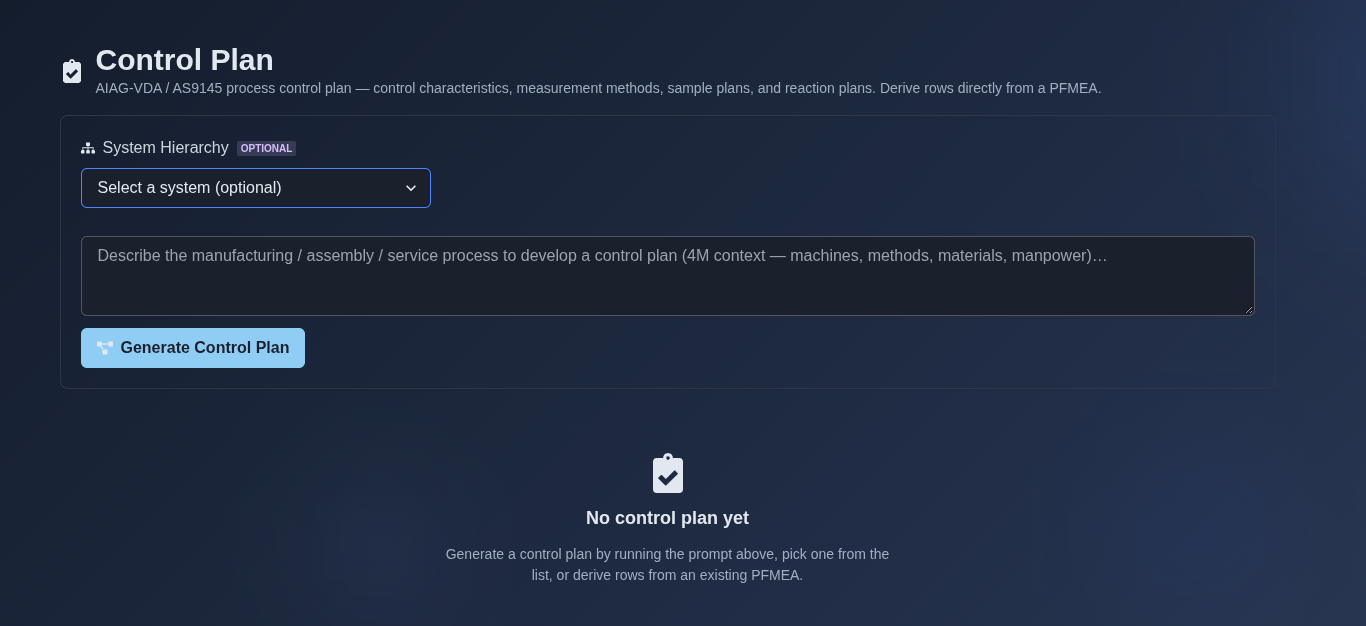
Open the Control Plan module. → The system displays the "Control Plan" overview with the subtitle "AIAG-VDA / AS9145 process control plan — control characteristics, measurement methods, sample plans, and reaction plans. Derive rows directly from a PFMEA." An optional "System Hierarchy" selector allows scoping the plan to a hierarchy node. A prompt field is presented with the placeholder "Describe the manufacturing / assembly / service process to develop a control plan (4M context — machines, methods, materials, manpower)…" and a "Generate Control Plan" button. Below, the empty state reads "No control plan yet — Generate a control plan by running the prompt above, pick one from the list, or derive rows from an existing PFMEA."
▶ Initial State▼ Initial State
-
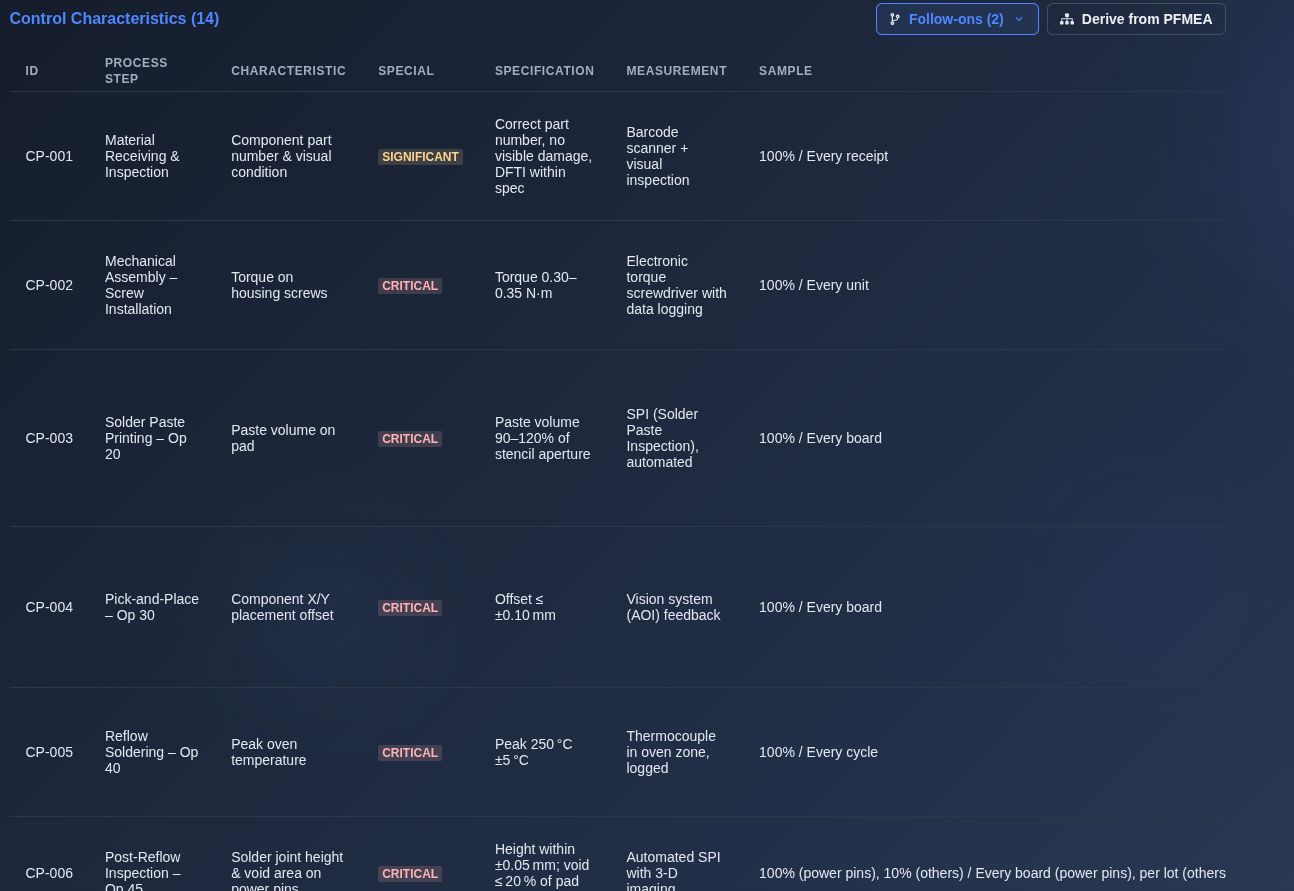
AI-generated Control Plan. → Review the generated Control Characteristics table showing the total count (e.g., "Control Characteristics (14)"). The table displays the generated control-plan details, including ID, Process Step, Characteristic, Special Classification, Specification, Measurement Technique, Sample Size/Frequency, Control Method, Reaction Plan, and Source. Review the generated rows and their control details for completeness and correctness.
▶ Review the Control Plan▼ Review the Control Plan
-
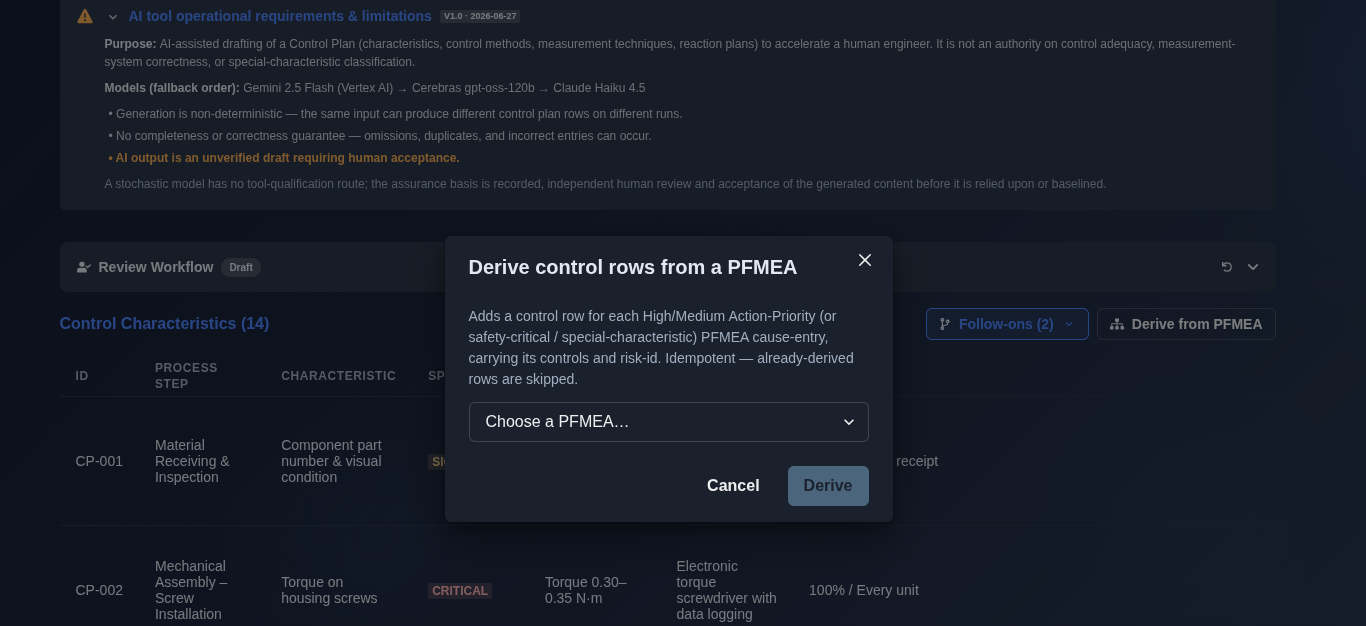
Derive from PFMEA. → Click the "Derive from PFMEA" button at the top right of the Control Characteristics table. A dialog titled "Derive control rows from a PFMEA" opens, explaining: "Adds a control row for each High/Medium Action-Priority (or safety-critical / special-characteristic) PFMEA cause-entry, carrying its controls and risk-id. Idempotent — already-derived rows are skipped." Select the source PFMEA from the "Choose a PFMEA..." dropdown, then click "Derive" to generate the control rows, or "Cancel" to close the dialog without deriving.
▶ Derive from PFMEA▼ Derive from PFMEA
-
Merge into plan. → After deriving the control rows, a working-copy follow-on is created with a banner stating: "Working copy — Derived control-plan rows from PFMEA. Not yet part of the plan." Click "Merge into plan" to incorporate the derived rows into the main Control Plan, or click "View main" to return to the main plan without merging.
▶ Merge into plan▼ Merge into plan

-
Export the Control Plan. → Click "Export" and choose the required format: "PDF" for a formatted document with a cover page and page numbers, "CSV Spreadsheet" for Excel or Google Sheets, "Plain Text" for a simple text format, or "JSON Data" for structured data.
Mechanics
- Row-per-characteristic table organized by Process Step
- Special Characteristic classification Critical (CC) · Significant (SC) · Standard
- Specification/Tolerance with measurement/evaluation technique
- Sample Size and Sample Frequency per characteristic
- Control Method and Reaction Plan per characteristic
- Derive control rows from High/Medium Action-Priority or safety-critical/special-characteristic PFMEA entries
- Derived PFMEA rows are created as a working copy and can be merged into the main Control Plan
- Machine/Device/Jig/Tool documentation per process step
- AI-generated Control Plan with follow-on workflow
- AI Research Context for reviewing sources and research information used by AI
- Revision and review support
- Export Control Plan as PDF, CSV, Plain Text, or JSON