Implementation Workspace
Video transcript
00:04 — Upload the KiCad project
The Implementation Workspace reviews the design you actually built. Start a workspace for the board, here the PIC programmer from the KiCad demos. Then drop in the whole KiCad project. The worker runs KiCad itself: its electrical and design rule checks, the netlist, and a 3D export. Then the platform reviews the schematic and the board with its own rules and patterns. Moments later there is a schematic and a board, each with findings you can accept, reject or defer, and each finding says which tool raised it.
00:42 — Findings on the board
Open the board, and the findings are drawn where they are: on the copper layers, beside the part they name. Zoom in, and hover a marker to read the finding it stands for. And the board's own 3D model, exported by KiCad, is one click away.
01:03 — Thermal model
New in the workspace: a thermal model of the board. You declare the heat, watts per part, and a junction to board resistance where the datasheet gives one, with the ambient and the convection on each face. The worker meshes the board and solves it in Elmer, a finite element solver, then checks the energy balance, so a run that loses heat says so. Back comes the board maximum, the temperature under every loaded part, and a junction estimate where one was declared, each shown beside the inputs it rests on. Lay the heat map over the board layers to see where the heat goes. Bind the run to a temperature requirement and it becomes evidence: a pass, or a finding.
01:48 — Mechanical model
Also new: mechanical models. Upload a STEP file, here the enclosure panel the board screws to, and the worker measures it: its envelope, volume, mass and every hole. Because the workspace already holds the board, the fit check runs straight away, matching the board mounting holes to the holes in the panel.
02:12 — Enclosure fit
Here one mounting hole is a millimetre out. The hole pattern is symmetric, so the finding names both candidate holes rather than guessing one, and files it under mechanical engineering, before a single part is made. And the panel itself is there in 3D.
02:35 — One review
Schematic, board, heat and enclosure fit, reviewed in one workspace, with every finding traced to the evidence it came from, and the whole review exportable as a controlled document. A design review in minutes, not a meeting.
Upload your implementation; get grounded, structured findings.
What it's for
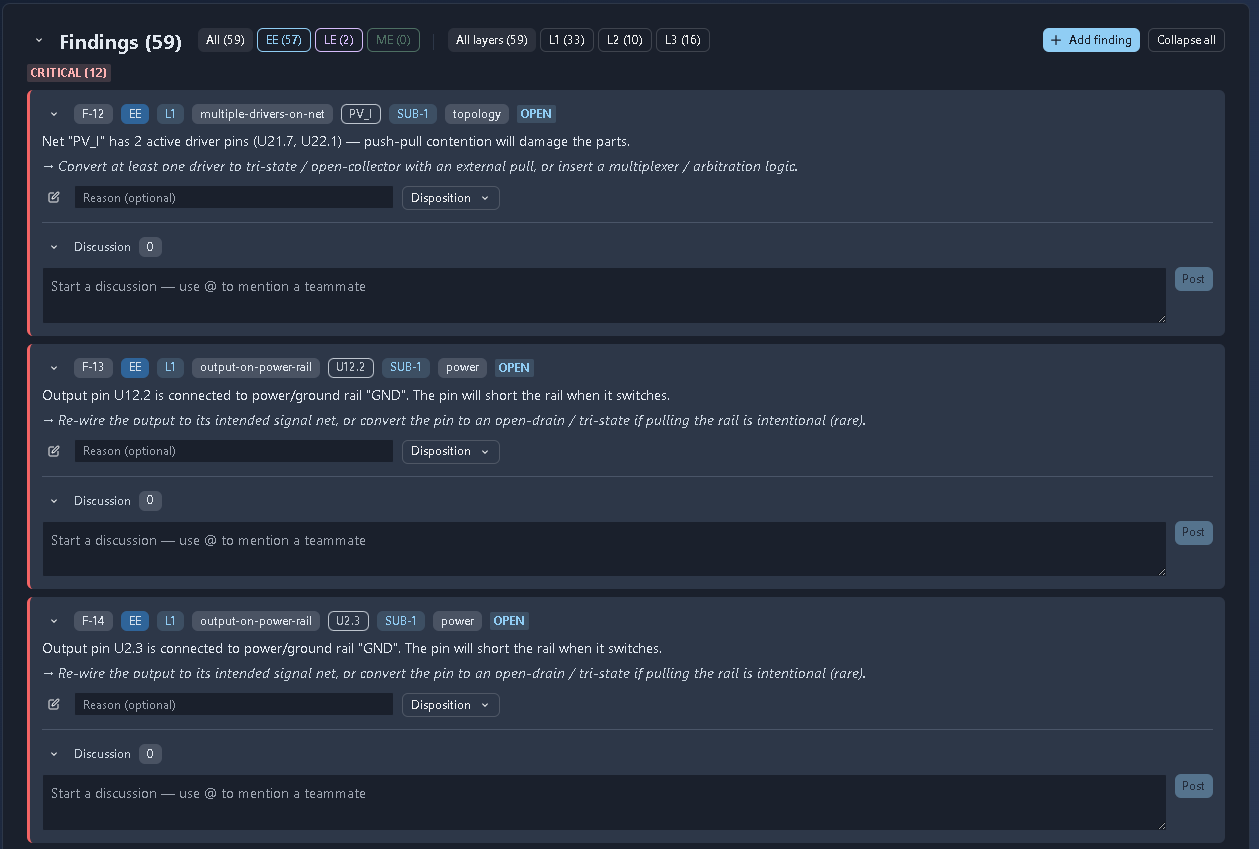
Unlike the generative tools, this tool reviews uploaded implementation artifacts — schematic netlists, SPICE simulation decks, and PCB layouts — through a three-layer pipeline: deterministic rules (L1) → curated patterns (L2) → a grounded LLM review (L3) using the node’s requirements, DFMEA, block diagram, and BOM. It returns findings grouped by severity and filterable by discipline (EE/LE/ME) and analysis layer (L1/L2/L3), with each finding supporting disposition and discussion.
When to use it
During implementation to identify design and implementation issues before fabrication, hardware bring-up, or testing.
How it works
-
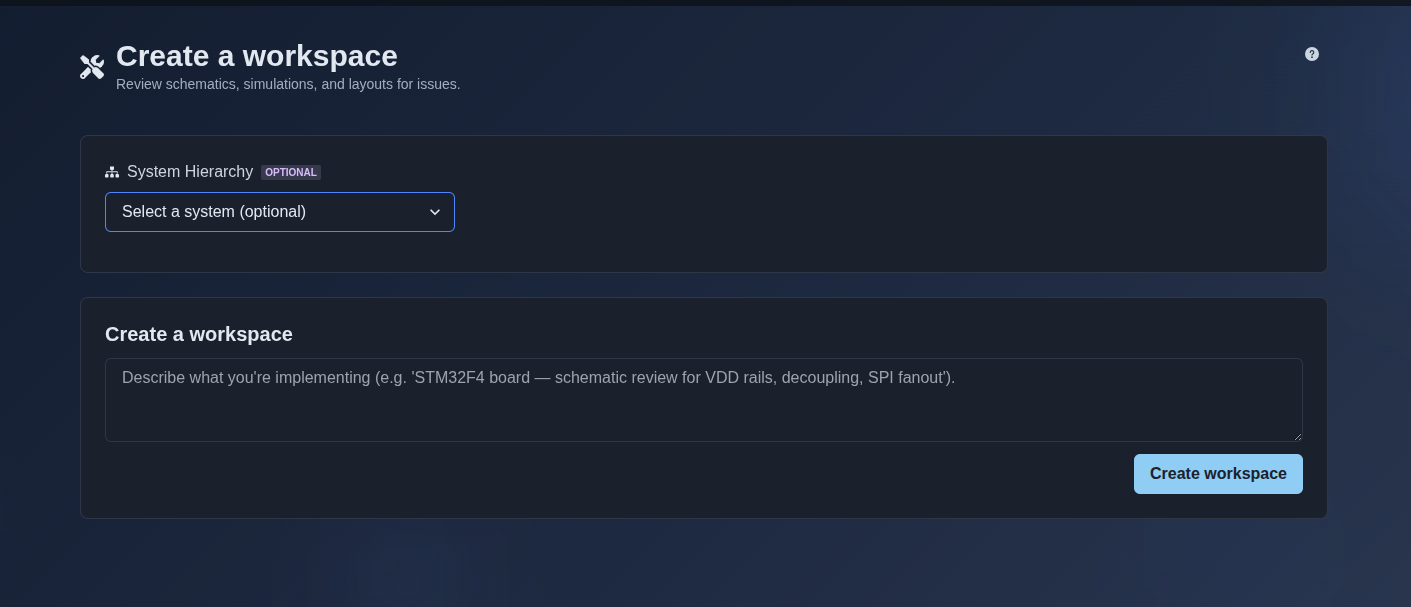
Create an implementation workspace. → Select a system from the optional System Hierarchy, describe what you are implementing in the workspace input field, and click “Create workspace” to create the implementation workspace.
▶ Create an implementation workspace▼ Create an implementation workspace
-
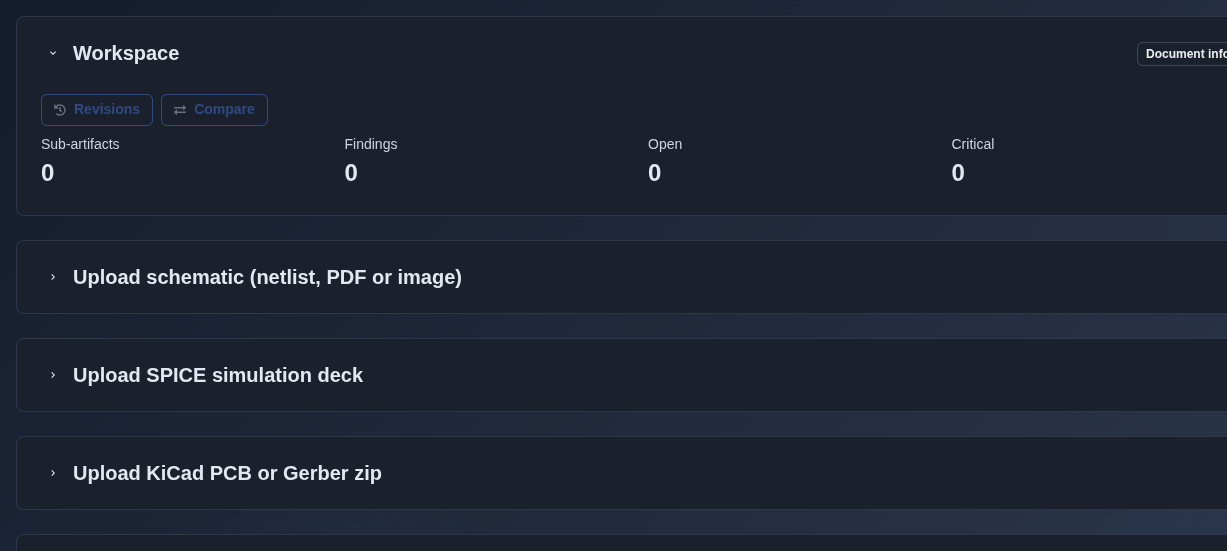
Upload implementation artifacts. → Upload a schematic, SPICE simulation deck, or KiCad PCB/Gerber package for automated checks and AI-assisted review. Each artifact can include an optional title and source filename.
▶ Upload files▼ Upload files
-
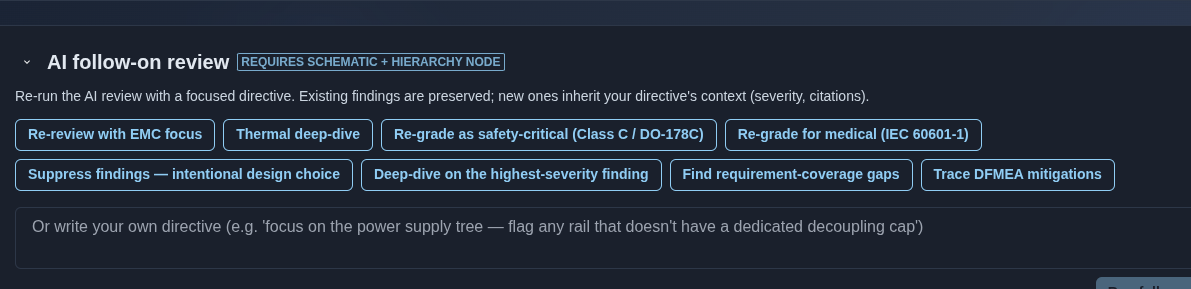
Run an AI follow-on review. → Select a predefined review directive — “Re-review with EMC focus,” “Thermal deep-dive,” “Re-grade as safety-critical (Class C / DO-178C),” “Re-grade for medical (IEC 60601-1),” “Suppress findings — intentional design choice,” “Deep-dive on the highest-severity finding,” “Find requirement-coverage gaps,” or “Trace DFMEA mitigations” — or enter a custom directive to re-run the AI review with a focused analysis. The follow-on review requires a schematic and hierarchy node, preserves existing findings, and applies the directive context to new findings.
▶ Run an AI follow-on review▼ Run an AI follow-on review
-
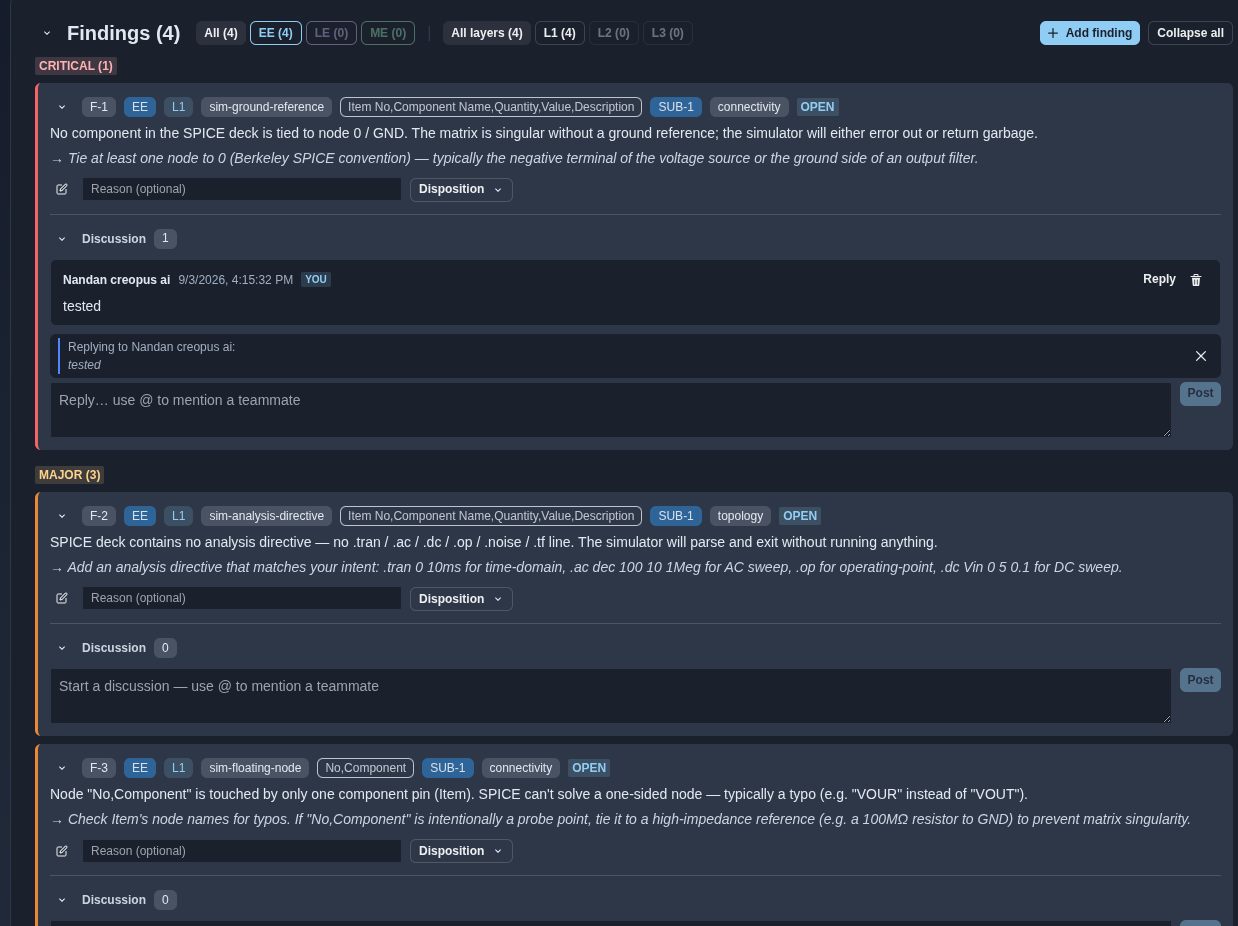
Review the findings and add comments. → Review the findings generated from the uploaded implementation data. Use the finding filters to view “All”, “EE”, “LE”, or “ME” findings and the analysis-layer filters to view “All layers”, “L1”, “L2”, or “L3”. Each finding includes the finding ID, severity, review layer, finding category, linked sub-artifact, affected item or component, status, issue description, recommended action, disposition, reason, and discussion. Use the comment field to add a discussion or reply to an existing comment, then click “Post” to submit it. Use the delete icon to remove an existing comment.
▶ Review the findings and add comments▼ Review the findings and add comments
-
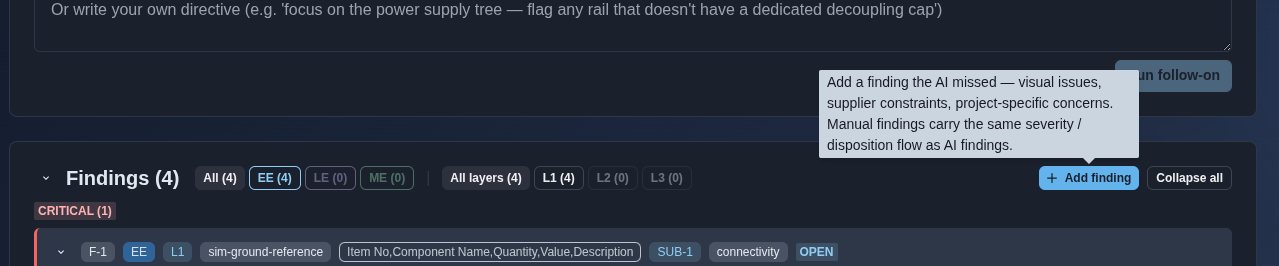
Add a finding. → Click “Add finding” to manually add a finding that the AI may have missed, such as visual issues, supplier constraints, or project-specific concerns. Manual findings can use the same severity and disposition flow as AI-generated findings.
▶ Add a finding▼ Add a finding
-
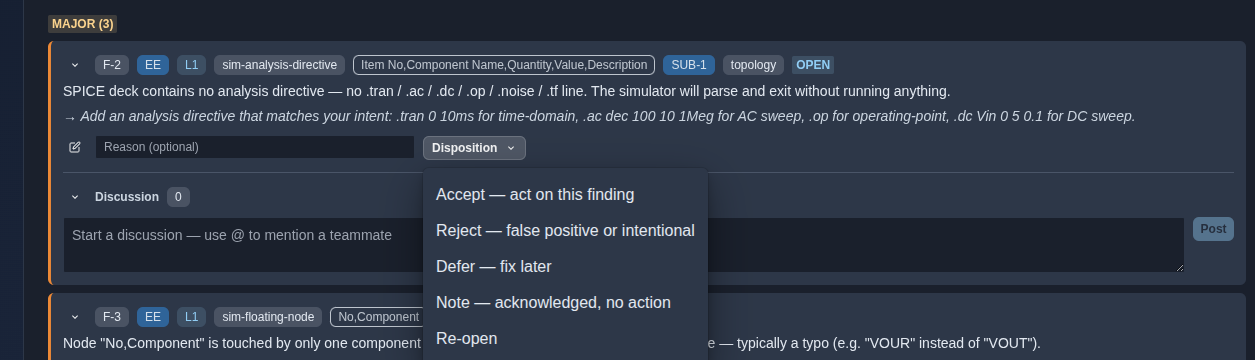
Set the finding disposition. → Click “Disposition” and select one of the available options: “Accept — act on this finding”, “Reject — false positive or intentional”, “Defer — fix later”, “Note — acknowledged, no action”, or “Re-open”.
▶ Set the finding disposition▼ Set the finding disposition
-
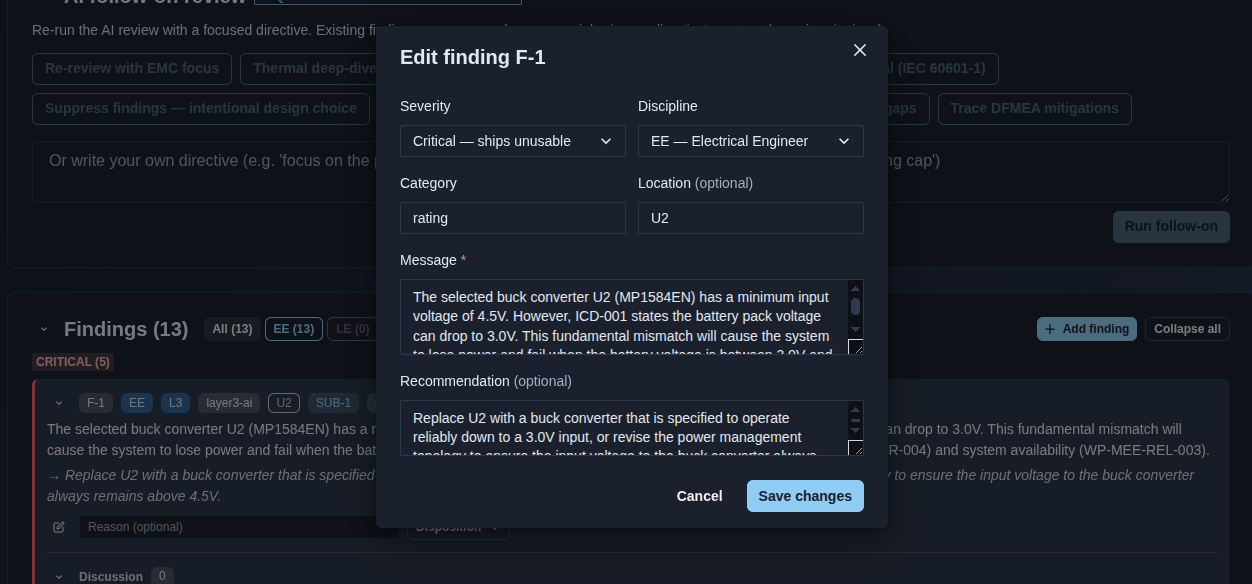
Edit a finding. → Click the Edit button for a finding to open the “Edit finding” form, where you can modify the Severity, Discipline, Category, Location, Message, and Recommendation. Click “Save changes” to apply the updates or “Cancel” to discard them.
▶ Edit a finding▼ Edit a finding
Mechanics
- Three-layer review: L1 deterministic rules → L2 patterns → L3 grounded LLM
- Findings grouped by severity · discipline (EE/LE/ME) · layer (L1/L2/L3)
- Upload and review: schematic · SPICE simulation deck · KiCad PCB · Gerber zip
- Per-finding disposition: Accept · Reject · Defer · Note · Re-open
- Per-finding edit with Severity · Discipline · Category · Location · Message · Recommendation
- Comment threads with Reply · Post · Delete
- Add manual findings with the same severity and disposition controls
- AI follow-on review with focused directives
- Sub-artifact revisions · Compare · Document Info