Parts Finder
Real, in-stock DigiKey parts, ranked and saved to your node.
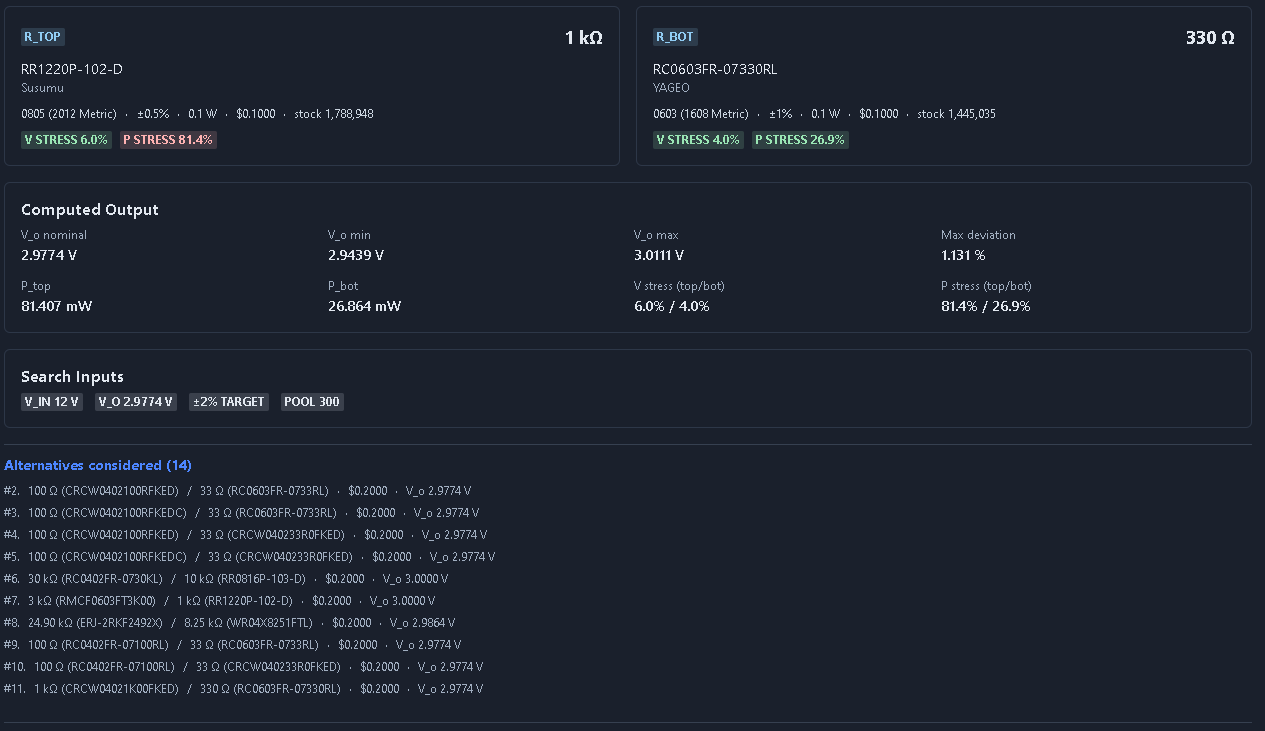
What it's for
Finds real, in-stock parts from DigiKey and ranks them, then saves the choice as a versioned, hierarchy-linked artifact. Two modes: a Voltage-Divider Pair finder (ranks R-top/R-bottom pairs with tolerance stack-up to hit a target output within ±X%) and a Single-Part finder (resistor, capacitor, MOSFET, diode, crystal…).
When to use it
Use Parts Finder whenever you need a specific, orderable component that meets defined parametric constraints.
How it works
-
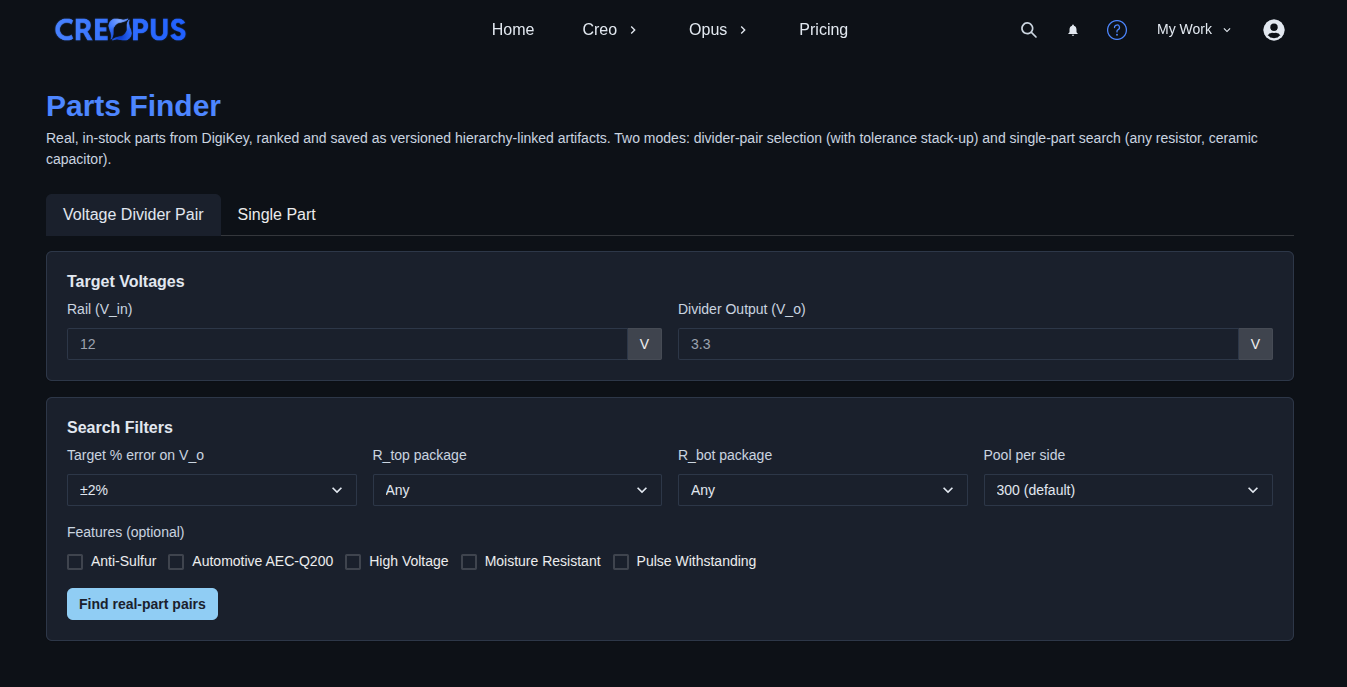
Choose a Parts Finder mode. → Select one of the two available options: “Voltage Divider Pair” or “Single Part”.
▶ Choose a Parts Finder mode▼ Choose a Parts Finder mode
-
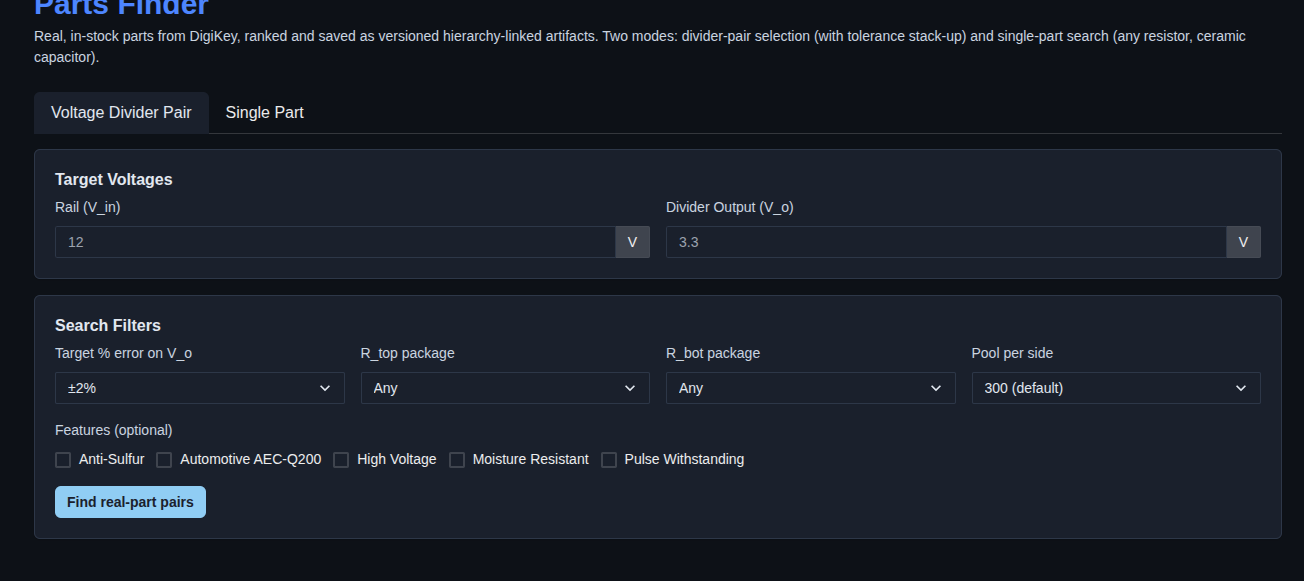
Select “Voltage Divider Pair”. → The Voltage Divider Pair mode opens with fields for “Rail (V_in)” and “Divider Output (V_o)”. Under “Search Filters”, set the target % error on V_o, R_top package, R_bot package, and pool per side. Optional features include Anti-Sulfur, Automotive AEC-Q200, High Voltage, Moisture Resistant, and Pulse Withstanding. Click “Find real-part pairs” to search for suitable resistor pairs.
▶ Select “Voltage Divider Pair” mode▼ Select “Voltage Divider Pair” mode
-
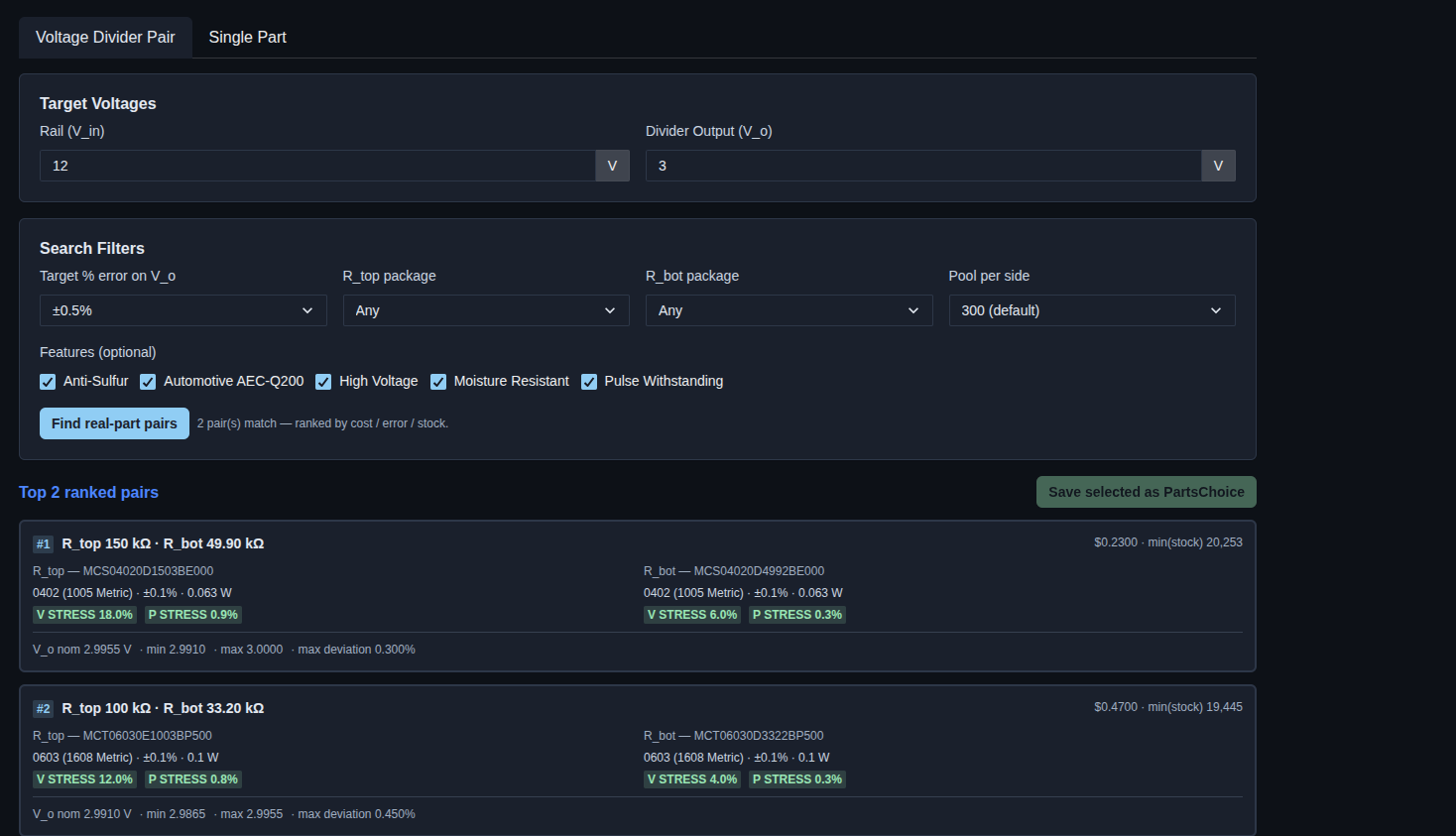
Enter the search criteria and find real-part pairs. → Fill in the required target voltage and search filter fields, select any optional features, and click “Find real-part pairs”. The system generates ranked matching resistor pairs based on the entered criteria. Review the generated results, including the R_top and R_bot values, part numbers, package and electrical specifications, cost, stock, stress values, nominal output voltage, voltage range, and maximum deviation.
▶ Enter search criteria and find real-part pairs▼ Enter search criteria and find real-part pairs
-
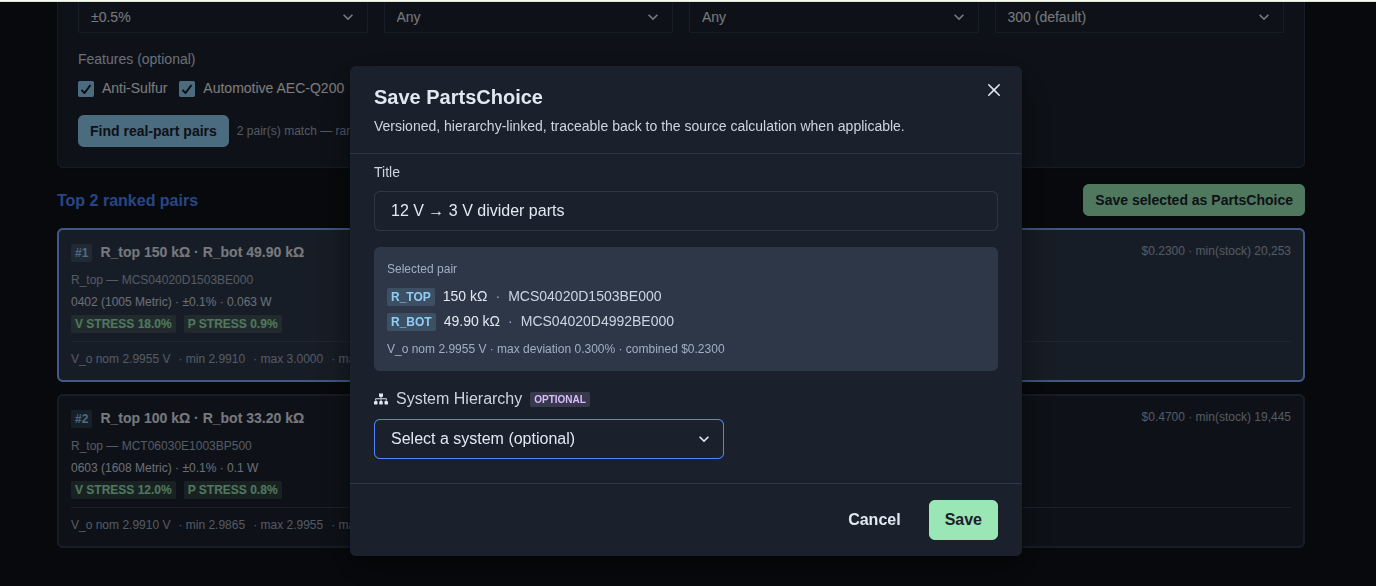
Select the resistor pair and save it. → Select a resistor pair from the ranked results and click “Save selected as PartsChoice”. In the “Save PartsChoice” dialog, enter a title, optionally select a system from the System Hierarchy, and click “Save” to save the selected PartsChoice.
▶ Select the resistor pair and save it▼ Select the resistor pair and save it
-
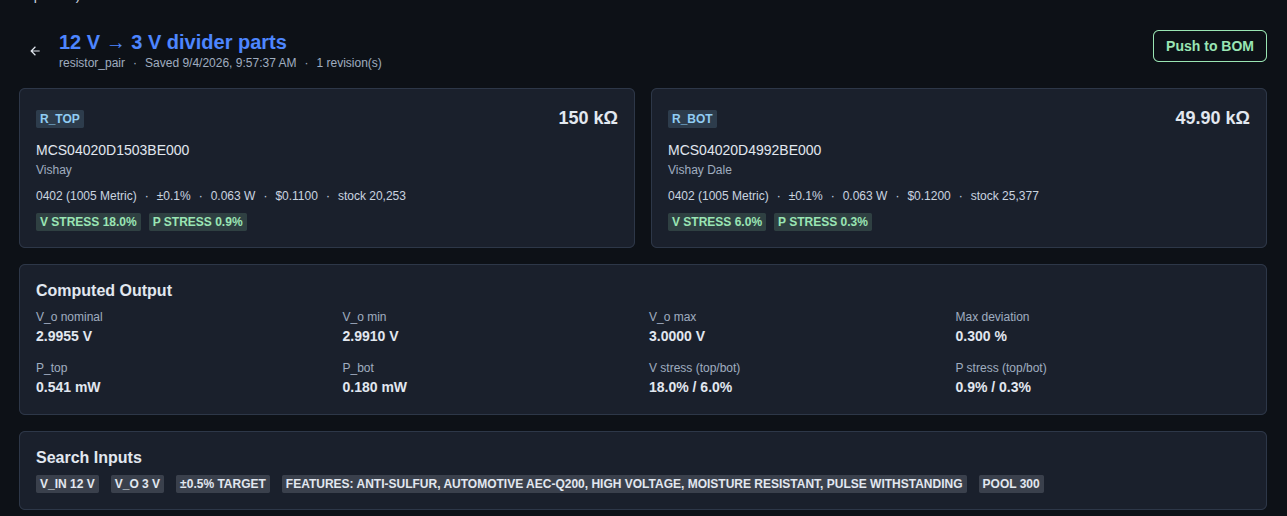
Review the saved PartsChoice. → After saving, review the PartsChoice details, including the R_TOP and R_BOT component values, part numbers, manufacturers, package and electrical specifications, cost, stock, voltage and power stress, computed output values, and the search inputs used to create the PartsChoice. Use “Push to BOM” to add the saved PartsChoice to the BOM.
▶ Review the saved PartsChoice▼ Review the saved PartsChoice
-
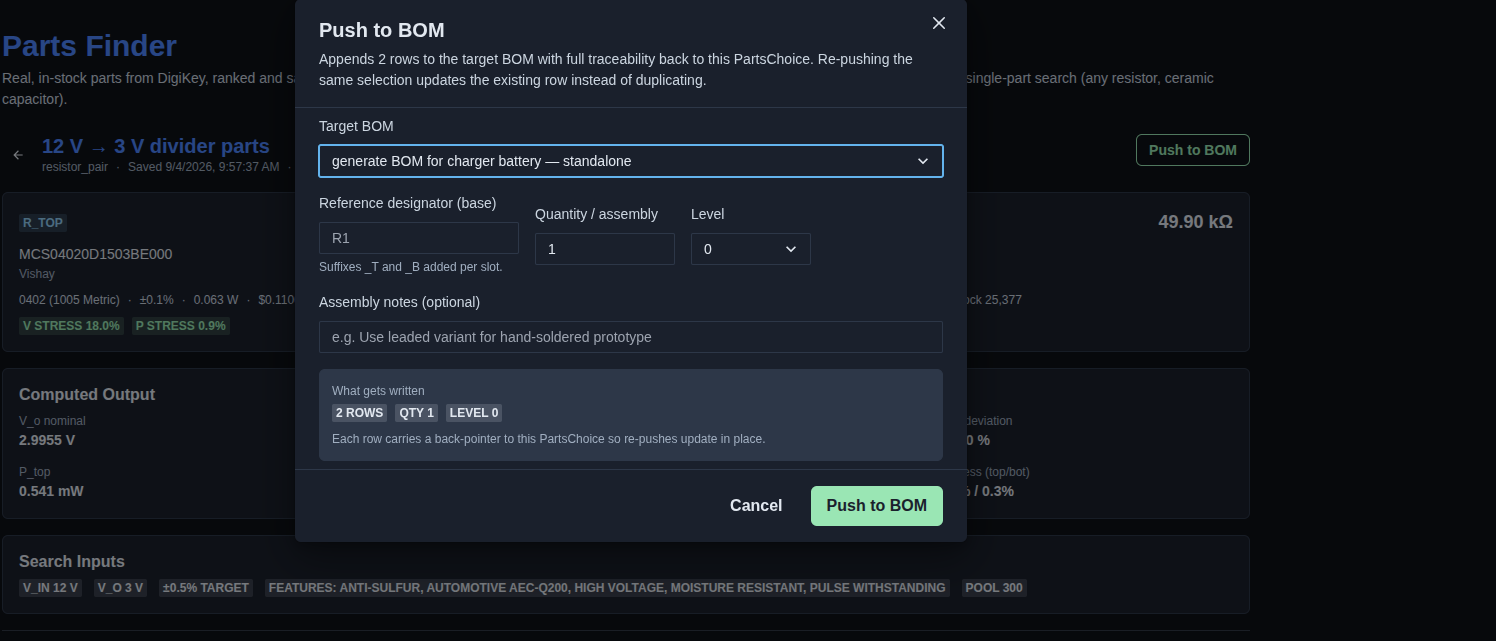
Push the selected PartsChoice to the BOM. → Click “Push to BOM” to open the configuration dialog. Select the target BOM, specify the reference designator, quantity/assembly, and level, optionally add assembly notes, then click “Push to BOM” to add the selected parts to the BOM.
▶ Push the selected PartsChoice to the BOM▼ Push the selected PartsChoice to the BOM
-
Review the pushed BOM. → After pushing the PartsChoice to the BOM, review the “PUSHED TO BOM” section to see the target BOM, the number of rows added, and the push timestamp. Re-pushing the same PartsChoice updates the existing BOM rows in place without creating duplicates.
▶ Review the pushed BOM▼ Review the pushed BOM

-
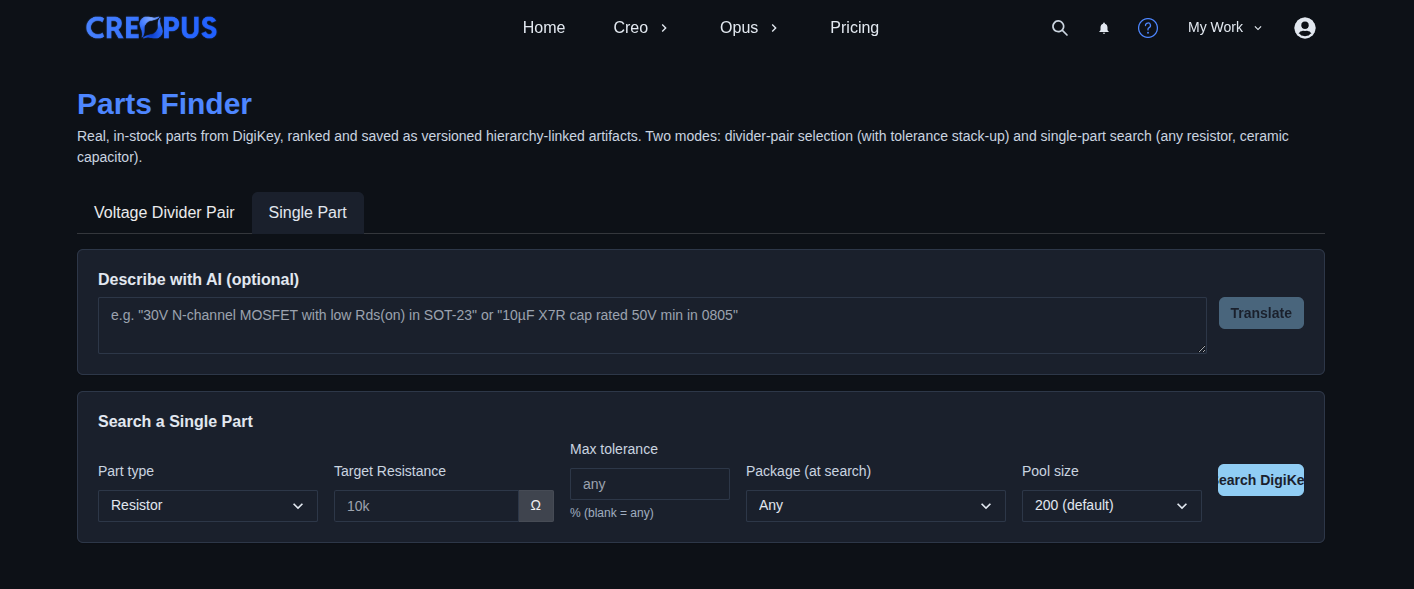
Select “Single Part”. → Select the “Single Part” option to search for an individual component. The section provides an optional “Describe with AI” field with a “Translate” button, followed by search fields for Part type, Target Resistance, Max tolerance, Package, and Pool size, with a “Search DigiKey” button to search for matching parts.
▶ Select “Single Part” mode▼ Select “Single Part” mode
-
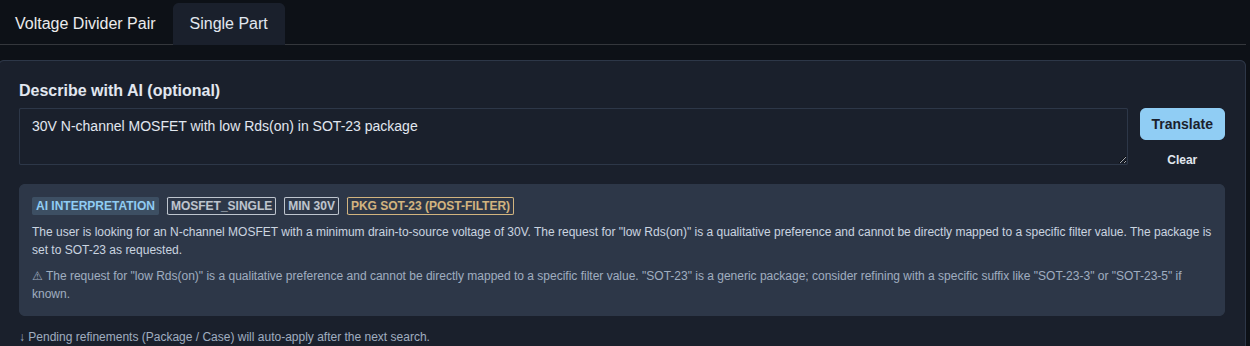
Enter a description and click “Translate”. → Enter the required part description in the “Describe with AI” field and click “Translate”. The AI interprets the description and displays the resulting part type, minimum specification, package requirement, and any applicable refinements or warnings. Review the AI Interpretation output before proceeding with the part search.
▶ Enter a description and click “Translate”▼ Enter a description and click “Translate”
-
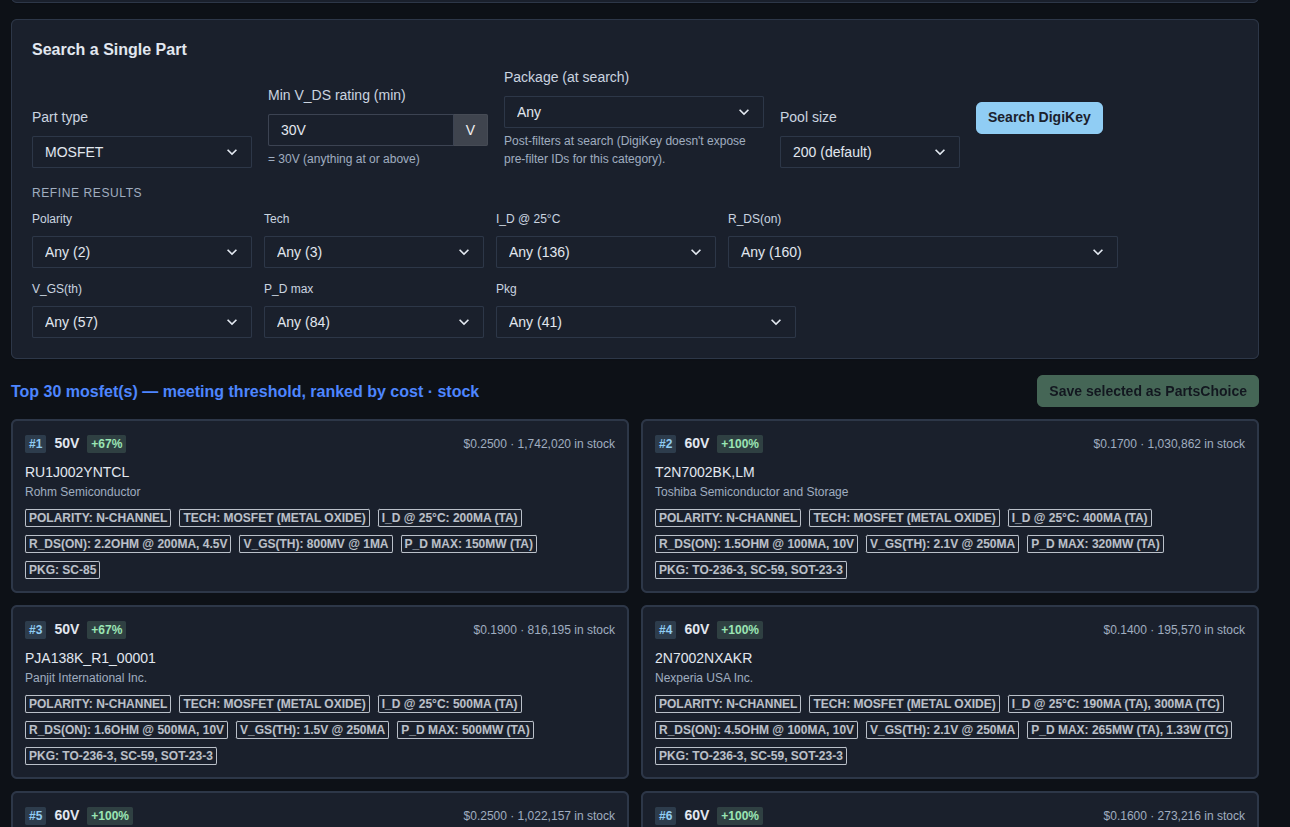
Click “Search DigiKey”. → Click “Search DigiKey” to search for matching single parts based on the selected search criteria. Review the returned parts, including their specifications, package information, price, stock availability, and ranking. The results are displayed as a ranked list of matching parts, with an option to save a selected part as a PartsChoice.
▶ Click “Search DigiKey”▼ Click “Search DigiKey”
-
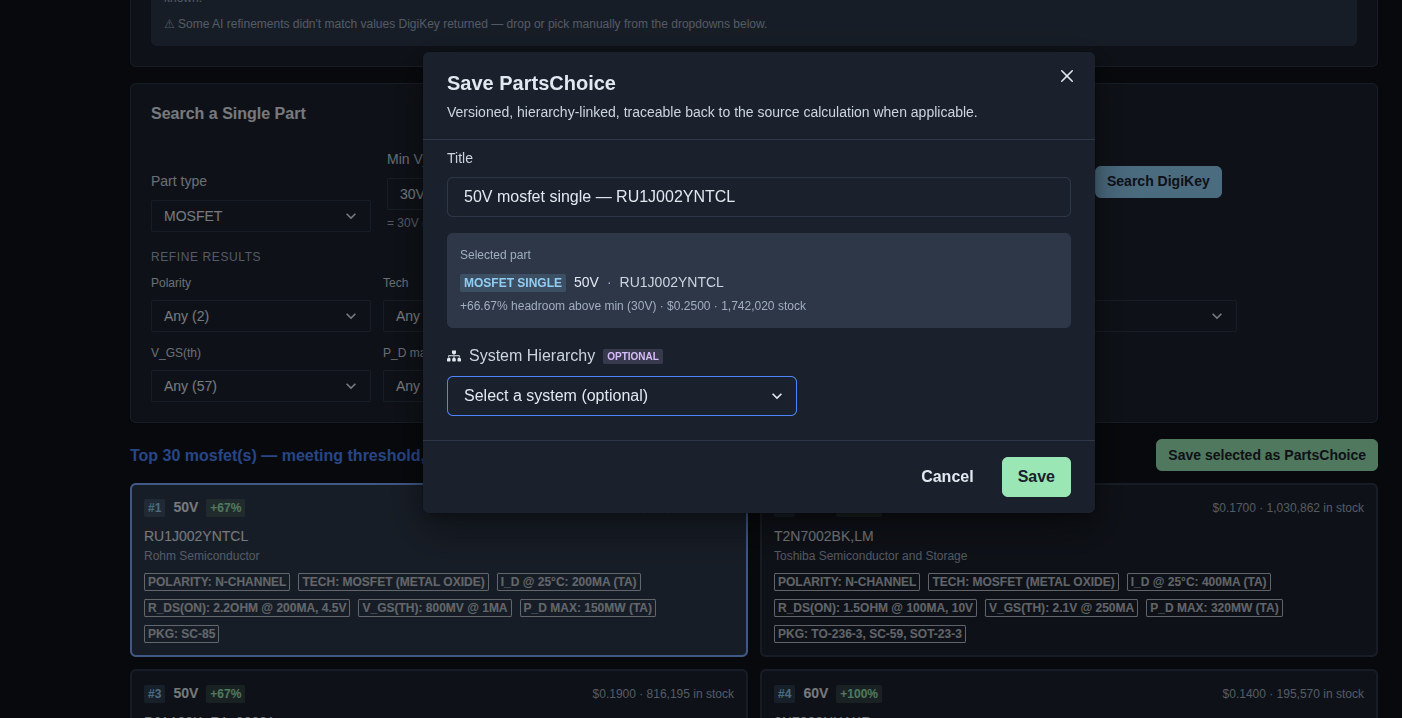
Save the selected part as a PartsChoice. → Click “Save selected as PartsChoice” to open the “Save PartsChoice” dialog. Review the selected part, enter or update the title, optionally select a system from the System Hierarchy, and click “Save” to save the selected part as a versioned, hierarchy-linked PartsChoice.
▶ Save the selected part as a PartsChoice▼ Save the selected part as a PartsChoice
-
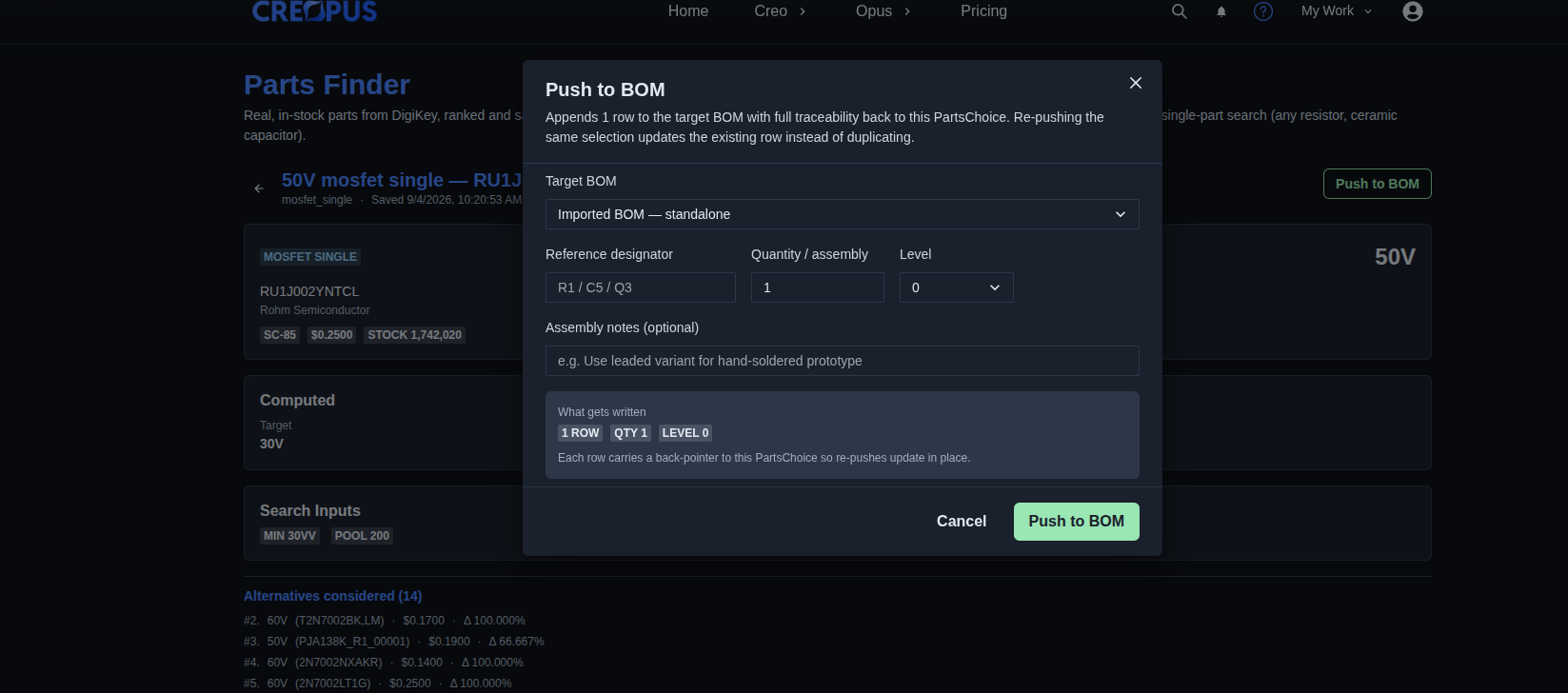
Push the selected part to the BOM. → Click “Push to BOM” to open the configuration dialog. Select the target BOM, specify the reference designator, quantity/assembly, and level, optionally add assembly notes, and click “Push to BOM” to add the selected part to the BOM.
▶ Push the selected part to the BOM▼ Push the selected part to the BOM
-
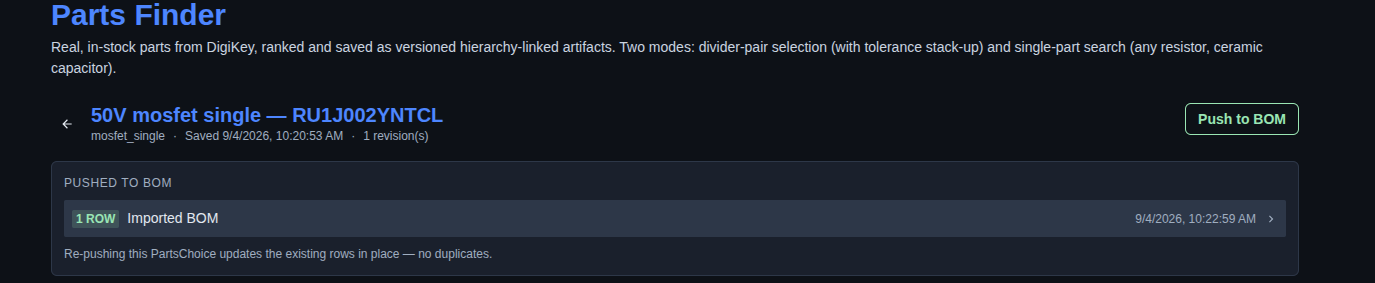
Review the pushed BOM. → After pushing the part to the BOM, review the “PUSHED TO BOM” section to see the number of rows added, the target BOM, and the push timestamp. The section also indicates that re-pushing the same PartsChoice updates the existing BOM rows in place without creating duplicates.
▶ Review the pushed BOM▼ Review the pushed BOM
Mechanics
- Real, in-stock DigiKey catalog data
- Voltage Divider Pair and Single Part search modes
- Voltage-divider pair matching with E-series tolerance stack-up
- Single-part search with part-type and specification filters
- AI-assisted part description translation and search refinement
- Ranked search results by cost, error, and stock
- Save selected parts as versioned, hierarchy-linked PartsChoice
- Push PartsChoice selections to BOM with traceability
- Re-pushing updates existing BOM rows without creating duplicates
- Seeds from a saved voltage-divider Calculation (?calcId)