DFMEA
Video transcript
00:04 — DFMEA
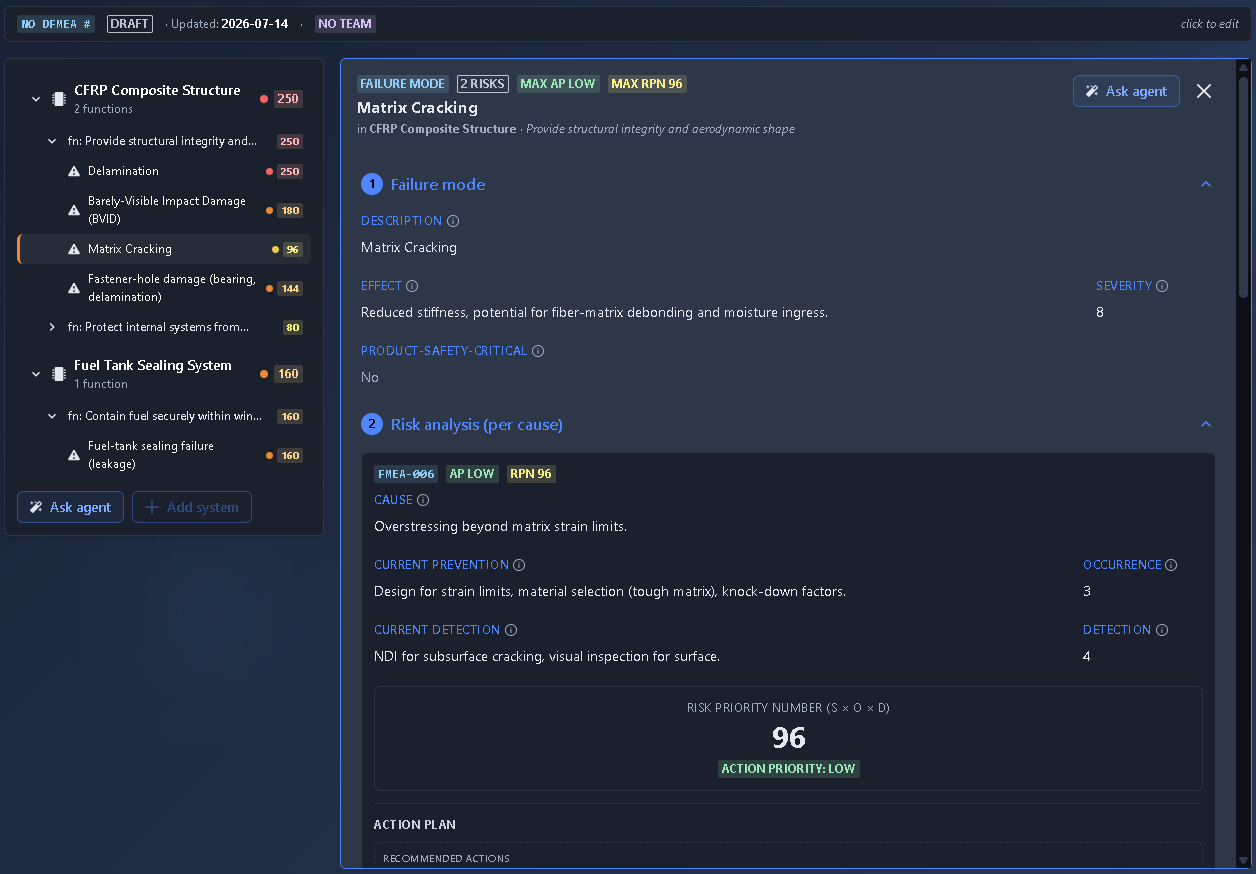
You don’t have to hand a Design FMEA to the AI in one shot. Start a blank DFMEA the build-it-yourself way, then ask the agent — pinned to this very document — to draft it, grounded in the board’s requirements. It works behind an approval gate, so nothing changes until you say so, and batches its work into a follow-on you review. Moments later, here is the result: every function’s failure modes, their effects and causes, scored on severity, occurrence and detection, with the risk priority number computed and the highest risks pushed to the top — each with a recommended action.
Predicted failure modes with a live RPN and Action-Priority.
What it's for
A master-detail DFMEA based on the AIAG-VDA approach: a systems tree (System → Function → Failure Mode → Cause) on the left and a detail panel on the right. RPN = Severity × Occurrence × Detection is calculated live, while the Action Priority (AP) badge provides a consequence-first risk decision, and the Expected (post-action) RPN shows the anticipated risk reduction after actions are implemented.
When to use it
Use DFMEA during design reviews, risk assessments, and product development activities, particularly for safety-critical and regulated products in industries such as automotive, medical devices, and aerospace. It can support risk-management and safety processes associated with standards such as ISO 26262, ISO 14971, and applicable aerospace standards.
How it works
-
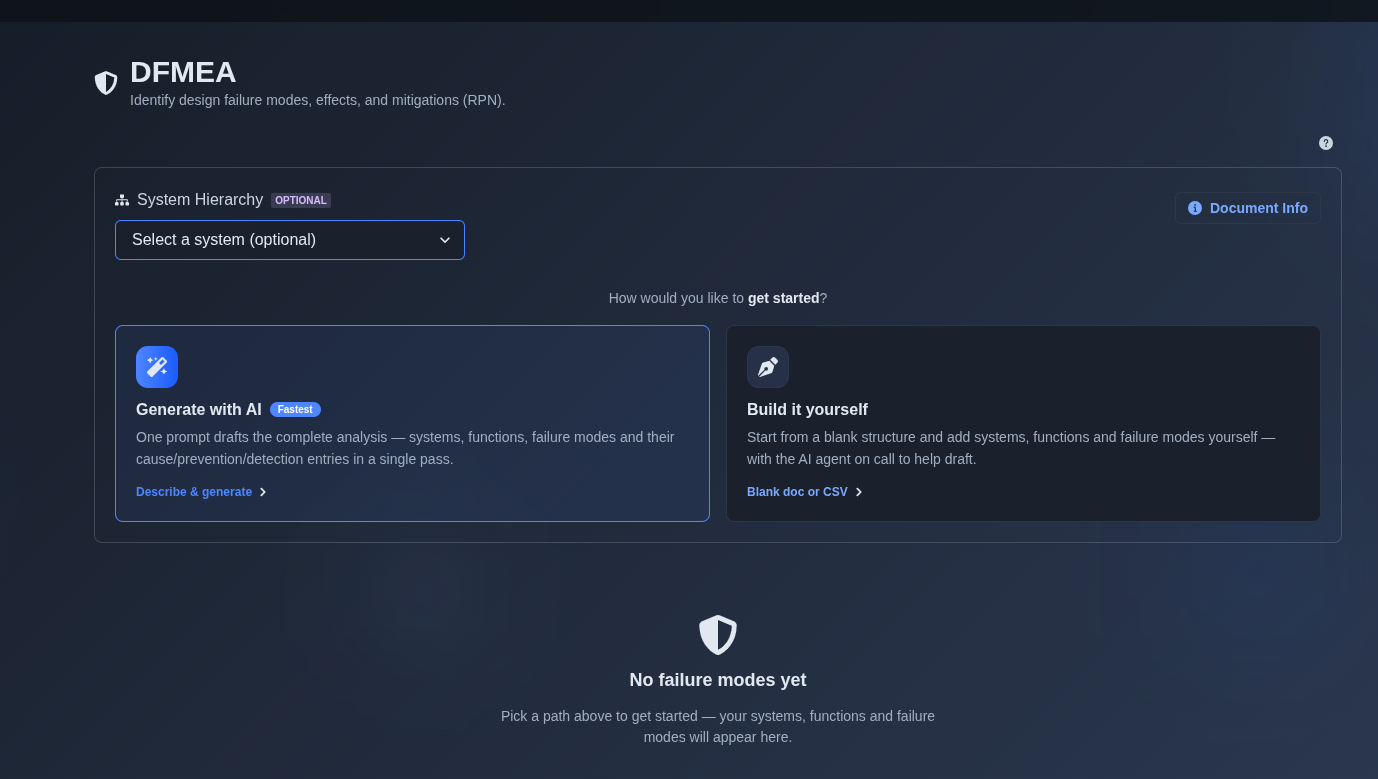
Generate with AI or build it yourself. → Select “Generate with AI” or “Build it yourself.” If “Generate with AI” is selected, enter a prompt describing the product or system for which you want to perform a Design Failure Mode and Effects Analysis (DFMEA). The AI analyzes the provided information and generates an initial DFMEA, identifying key design functions, potential failure modes, effects, causes, existing controls, and preliminary Severity, Occurrence, and Detection ratings. If “Build it yourself” is selected, choose either “Create a blank document” to build the DFMEA manually from an empty document or “Import from CSV” to upload DFMEA data and create the DFMEA from the imported data.
▶ Initial State▼ Initial State
-
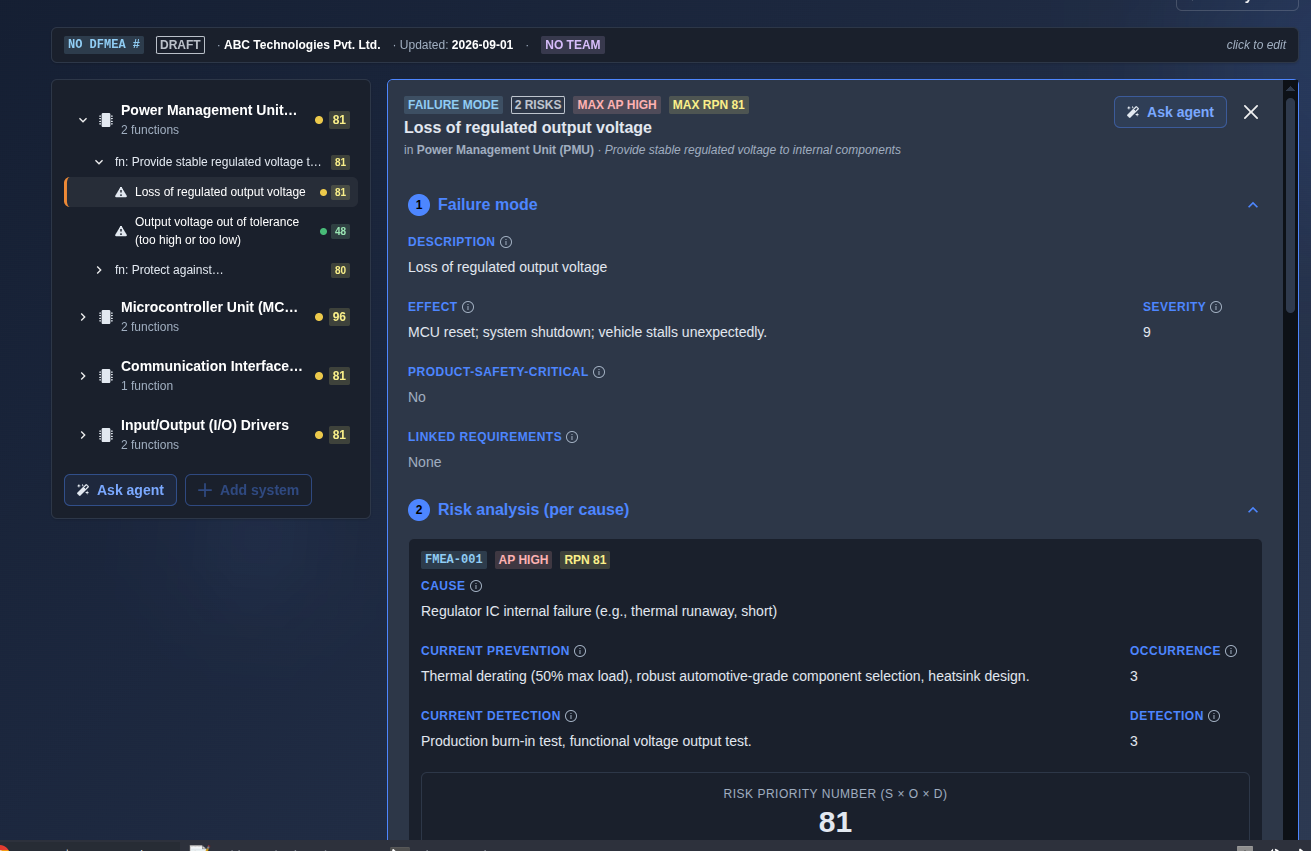
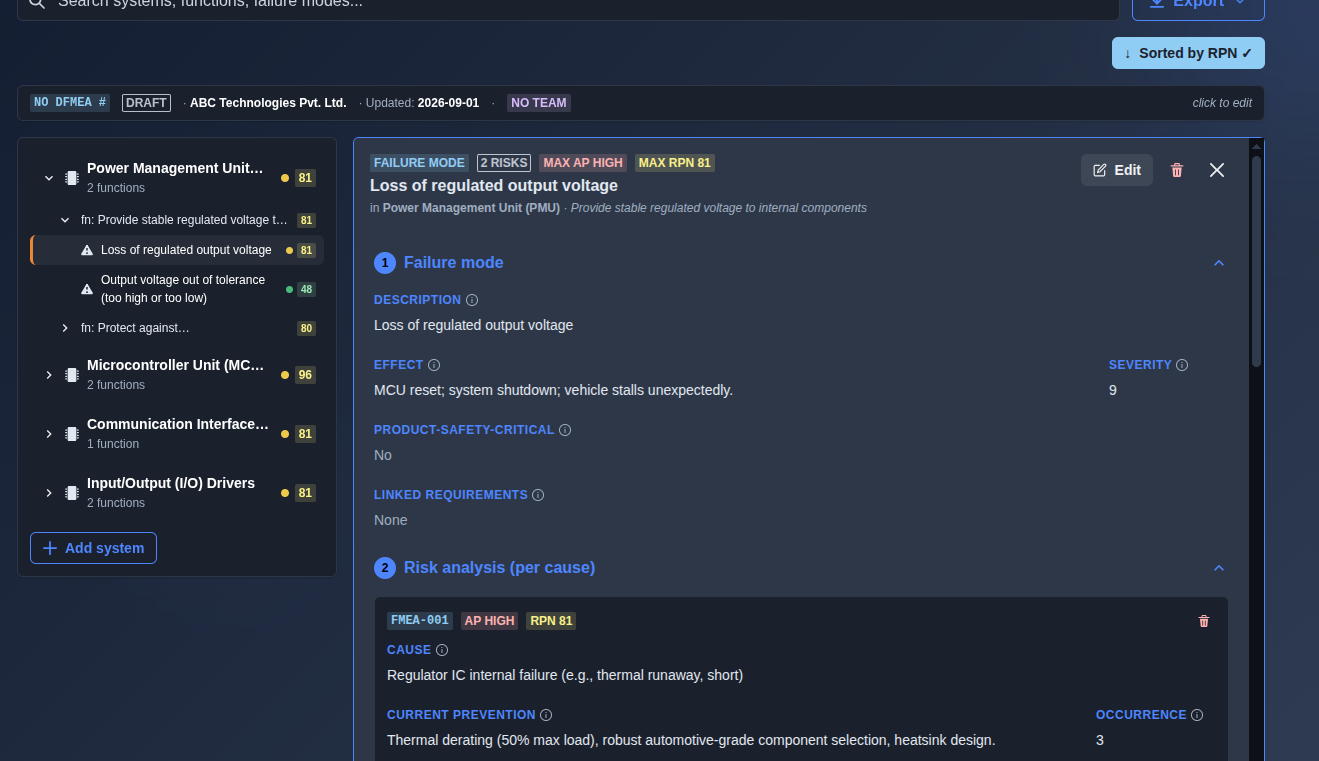
Review the AI-generated DFMEA. → Within the system, each DFMEA failure mode entry includes the associated Function, which defines the intended function of the product or system; Failure Mode, which describes how the product or system could fail to meet its intended function; Risk ID, which provides a unique identifier for the specific risk entry (e.g., FMEA-001); Cause, which identifies the cause(s) that could lead to the failure mode; Effect, which describes the consequence(s) of the failure mode on the system, user, or environment; Severity, which indicates the seriousness of the failure effect; Occurrence, which indicates the likelihood of the cause occurring; Detection, which indicates the ability of current controls to detect the cause or failure mode; Action Priority, which provides a qualitative indication of the risk priority based on the risk assessment; RPN, which represents the Risk Priority Number calculated as Severity × Occurrence × Detection; Current Preventions, which describe the existing design features or controls implemented to prevent the cause or failure mode; and Current Detections, which describe the existing design features or tests implemented to detect the cause or failure mode.
▶ Review the AI-generated DFMEA▼ Review the AI-generated DFMEA
-
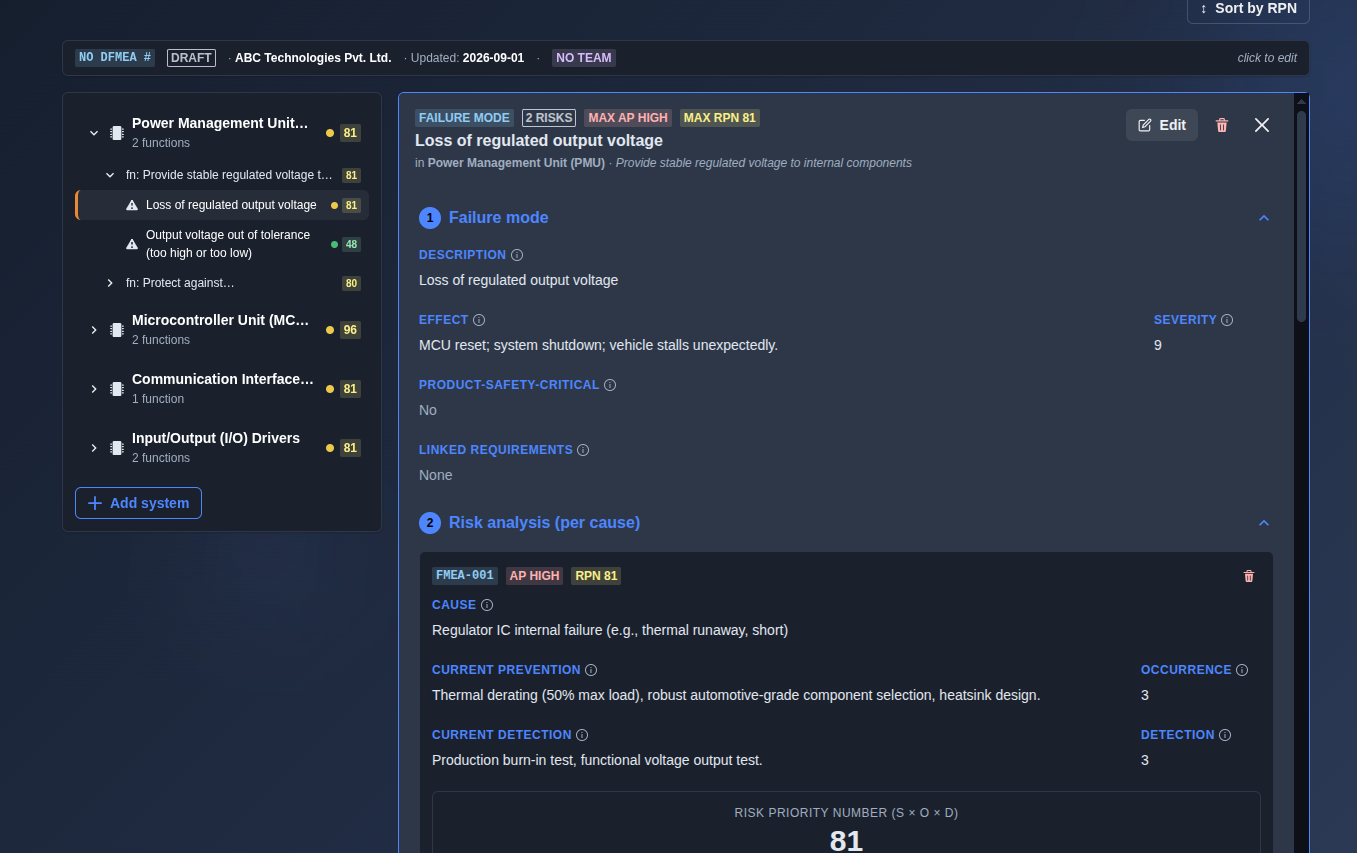
Click Add, Edit, or Delete. → In AI-generated DFMEA, editing is available only in the follow-on mode, while Add, Edit, and Delete are disabled in the main prompt view. In manually created DFMEA, Add, Edit, and Delete actions are available directly from the main directory, with separate Add buttons available for creating System, Function, and Failure Mode entries.
▶ Add, Edit, or Delete▼ Add, Edit, or Delete
-
Sort by RPN. → Clicking the "Sort by RPN" button reorders the DFMEA entries, typically displaying the failure modes with the highest Risk Priority Number (RPN) at the top. This helps to quickly identify and prioritize the most critical risks in the analysis.
▶ Sort by RPN▼ Sort by RPN
-
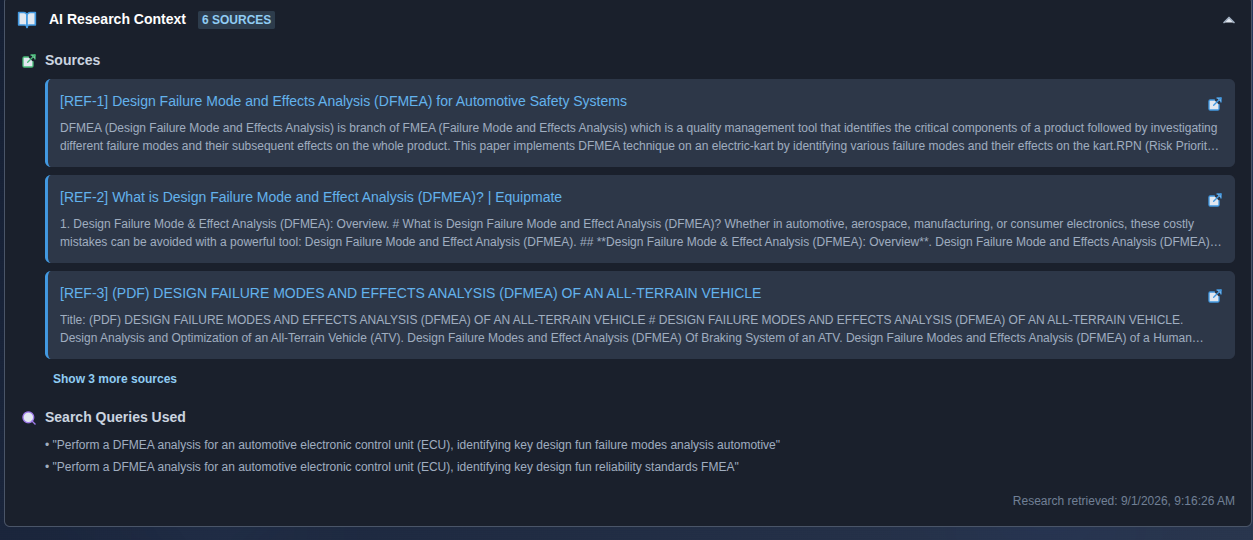
Open the AI Research Context. → Open “AI Research Context” to view the sources and research information used by the AI when generating or modifying the DFMEA by clicking the expand arrow on the right side of “AI Research Context.”
▶ AI Research Context▼ AI Research Context
-
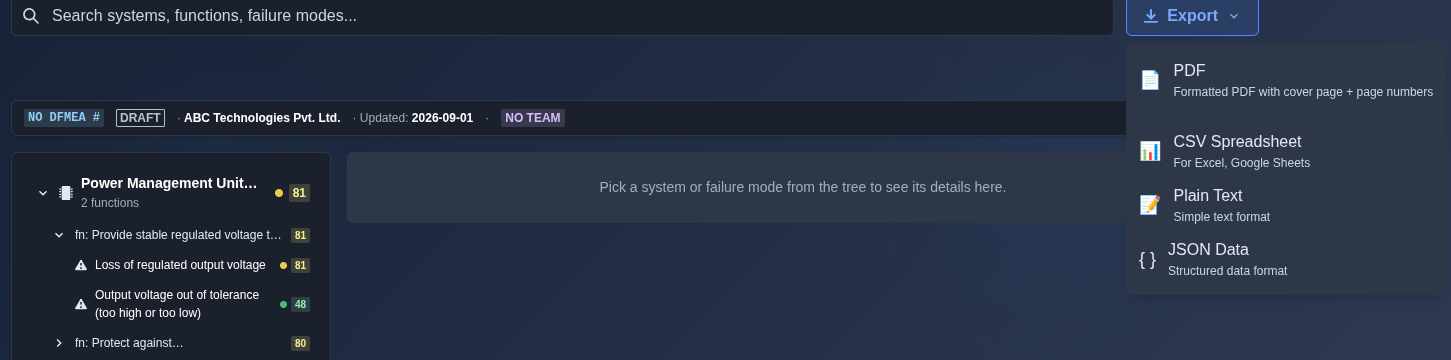
Export the DFMEA. → Click “Export” and choose the required format: “PDF”, “CSV Spreadsheet”, “Plain Text”, or “JSON Data”.
▶ Export▼ Export
Mechanics
- Master-detail DFMEA hierarchy (System → Function → Failure Mode → Cause)
- RPN = S×O×D live · risk thresholds red≥200 / orange≥100 / yellow≥50 / green<50
- Action Priority (AP) badge · Expected (post-action) RPN + delta
- Product-safety-critical flag · action status · action effectiveness
- Add · Edit · Delete · follow-on editing for AI-generated DFMEA
- Sort by RPN to prioritize highest-risk failure modes
- AI Research Context for reviewing sources and research information used by AI
- Revision and review support
- Export as PDF · CSV Spreadsheet · Plain Text · JSON Data