ConOps
Video transcript
00:04 — ConOps
A Concept of Operations describes the system from the user’s point of view — the mission, the stakeholders, the operational scenarios and the environment it lives in. Start a blank ConOps and let the agent draft it in the NASA systems-engineering shape, approving as it goes. It’s the document you write before the design — and now the whole team shares one picture of what you’re building and why.
The narrative of how the system will actually be used.
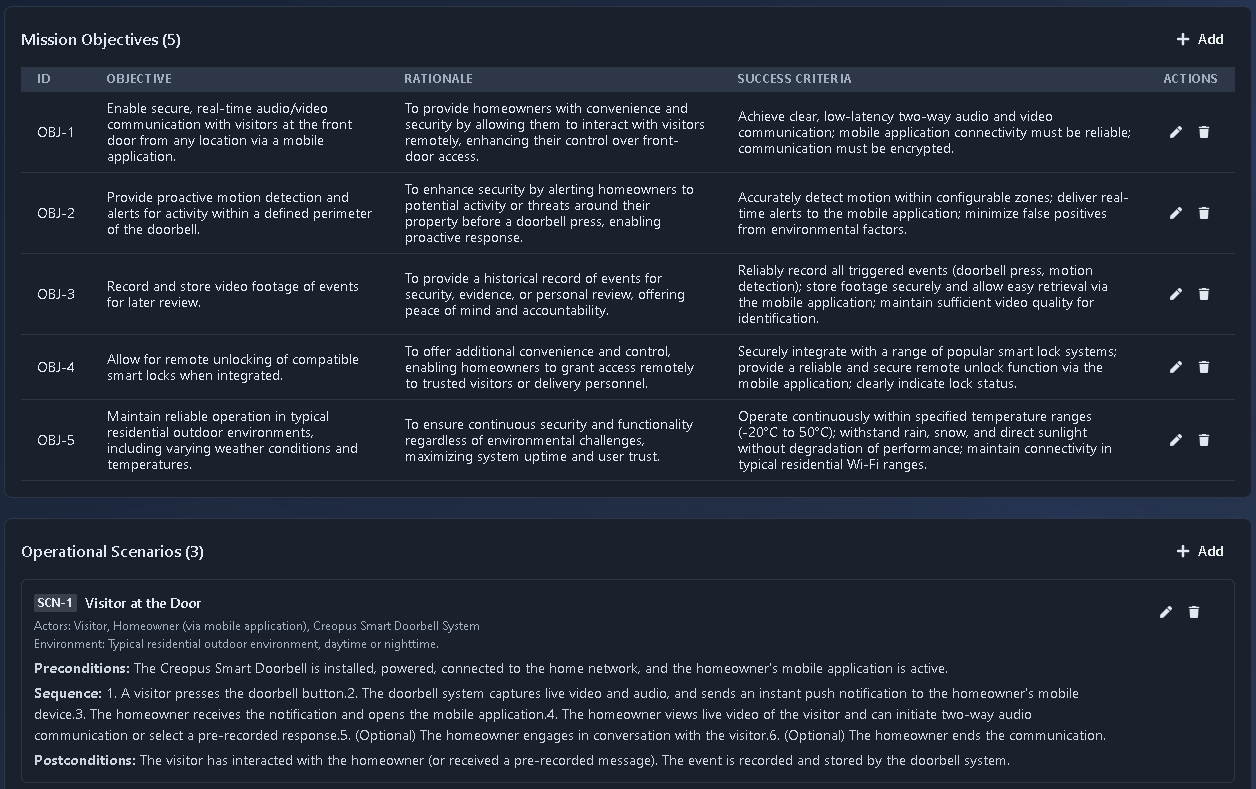
What it's for
ConOps captures the operational story before requirements harden. It provides four collections: Sections, Mission Objectives, Operational Scenarios, and Stakeholder Needs. The number of items in each collection may vary based on the prompt. Sections capture the narrative, Mission Objectives include the Objective, Rationale, and Success Criteria, Operational Scenarios include Actors, Environment, Pre/Post-conditions, and an ordered Sequence, and Stakeholder Needs include Need, Stakeholder, Priority, and Rationale.
When to use it
Use ConOps early in the system engineering process, alongside or just before Requirements, at the system or work-package level to define the operational concept, objectives, scenarios, and stakeholder needs.
How it works
-
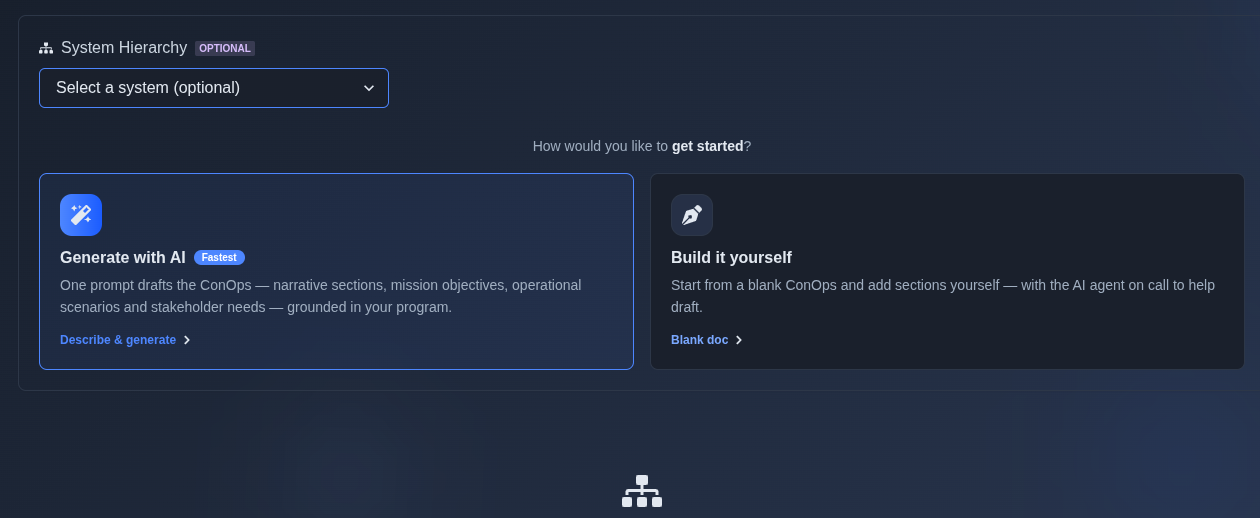
Generate with AI or Build it yourself. → If you select Generate with AI, enter a prompt and the AI generates the output based on your prompt. If you select Build it yourself, choose Create a blank document and build the document manually. Selecting a system is optional and can be used with either approach.
▶ Initial State▼ Initial State
-
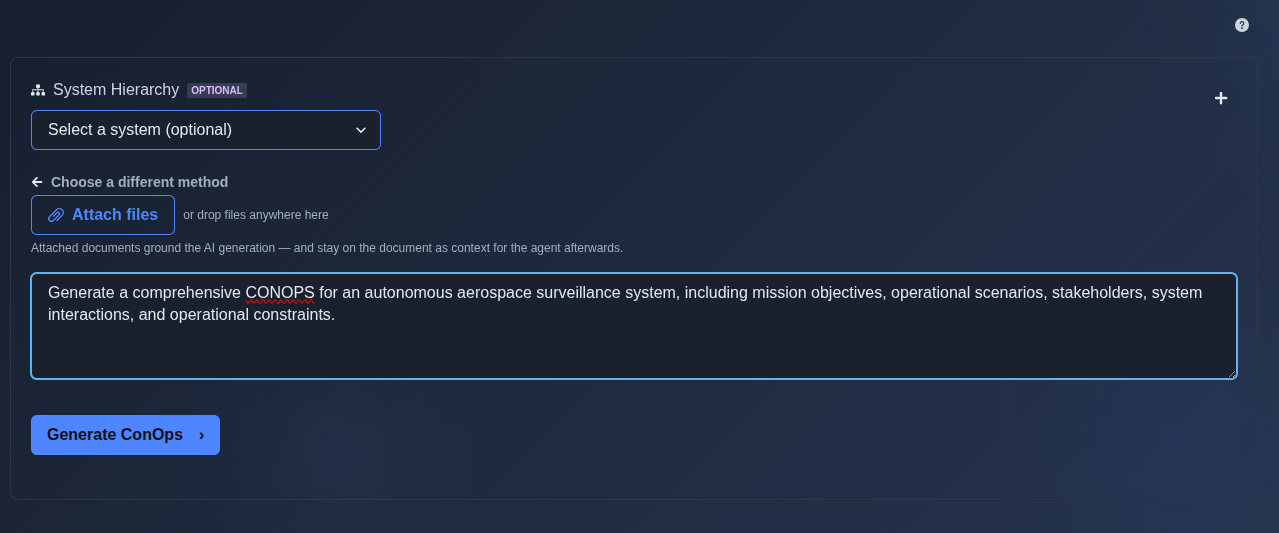
Click Generate ConOps → Describe your project and the type of ConOps you want in the prompt input area. Run the prompt, and the AI generates the ConOps output based on the information and requirements provided in the prompt.
▶ Generate ConOps▼ Generate ConOps
-
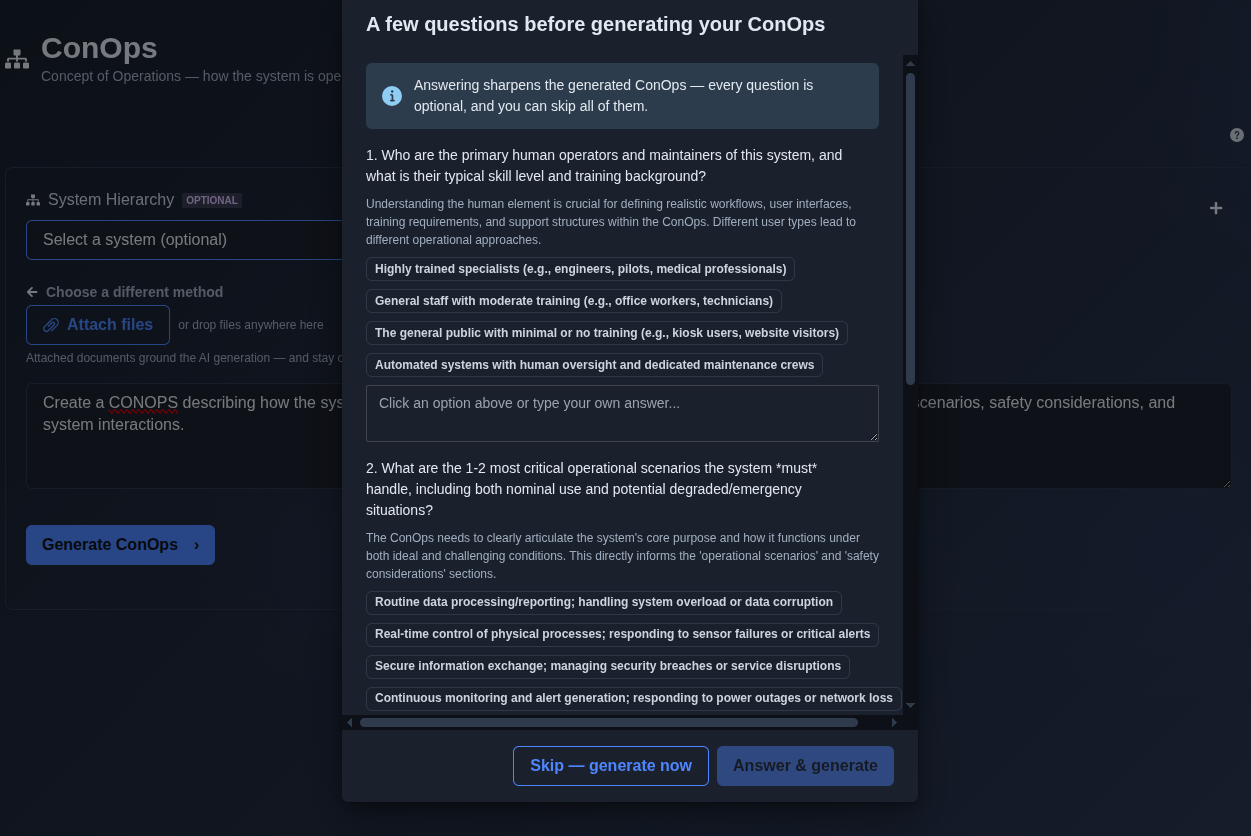
Answer the questions, then click “Answer & generate” or “Skip — generate now.” → After you run the prompt, the AI asks a series of optional questions to better understand your project, operational environment, stakeholders, and requirements. Read each question carefully and provide the appropriate answers, or skip the questionnaire and generate immediately. The AI then uses the prompt and any provided answers to generate the ConOps output.
▶ Answer Questions▼ Answer Questions
-
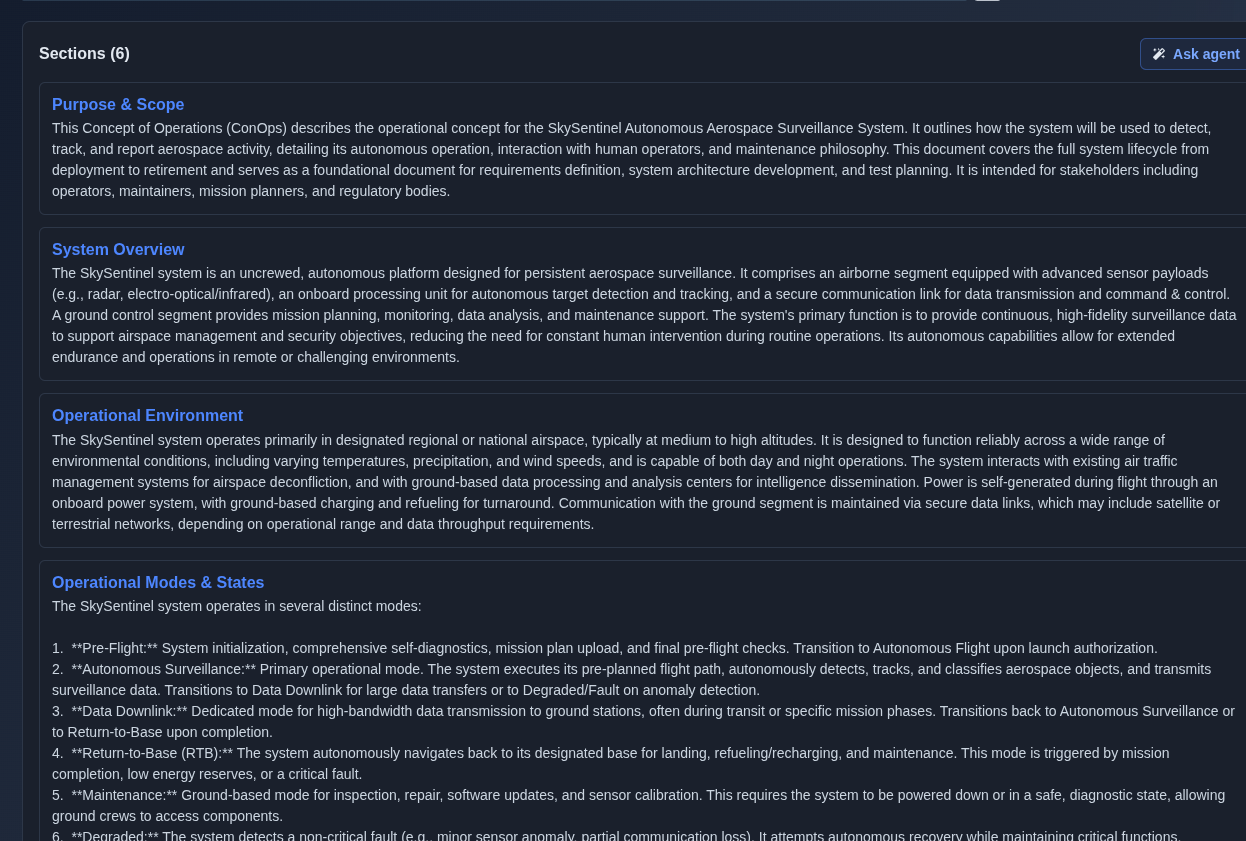
Review the AI-generated ConOps output and use Follow-on Prompt mode to make any required changes. → The AI generates the complete ConOps based on the prompt, including Sections, Mission Objectives, Operational Scenarios, and Stakeholder Needs. The number of items in each category may vary depending on the prompt. The initial generated output is view-only in the main prompt view; to add, edit, or delete any information, use Follow-on Prompt mode.
▶ Review Output▼ Review Output
-
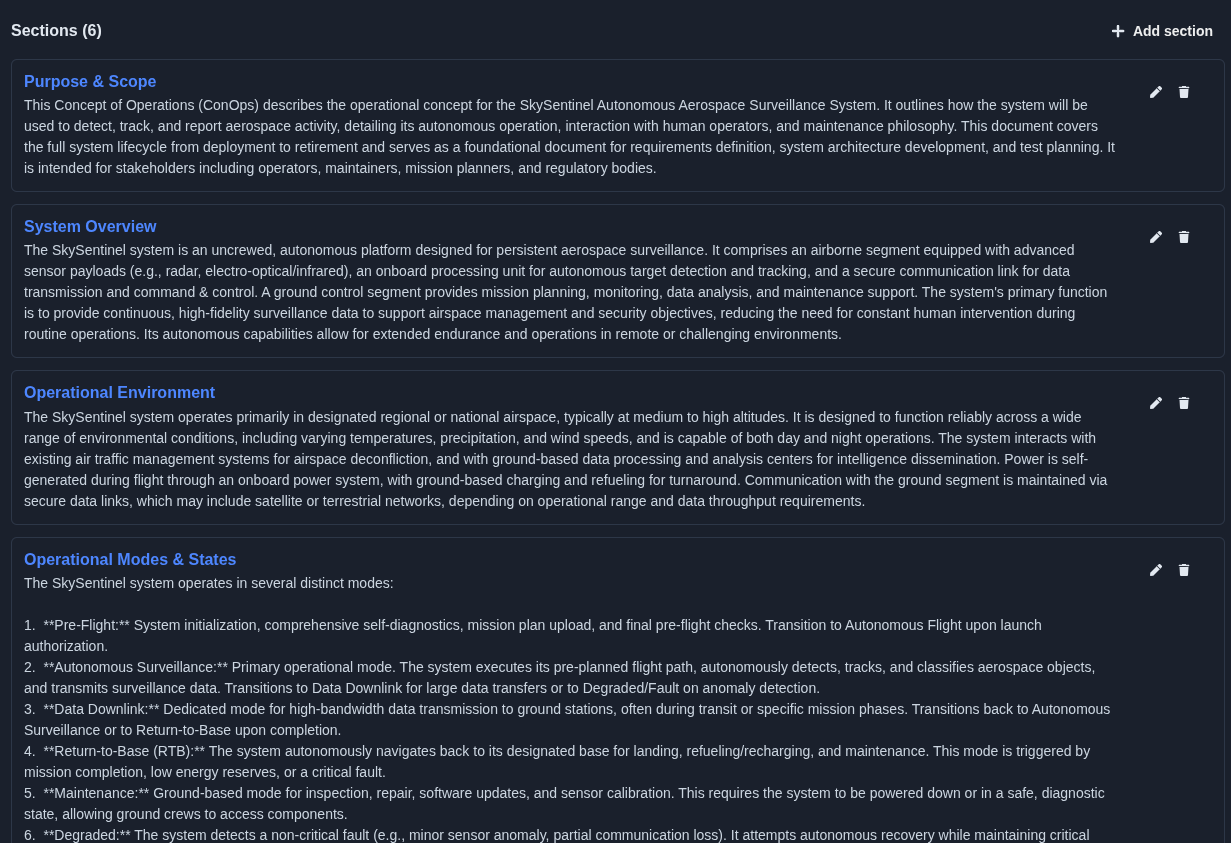
Add, edit, or delete information in the Follow-on Prompt, then merge it into the Main Prompt. → Any information added, edited, or deleted in the Follow-on Prompt is applied to the Main Prompt when you merge the changes. The Main Prompt is then updated to show the latest version.
▶ Add/Edit/Delete in Follow-on Prompt▼ Add/Edit/Delete in Follow-on Prompt
-
Export the ConOps document. → The ConOps is exported in the selected format. Select PDF to generate a formatted PDF with a cover page and page numbers, CSV Spreadsheet for spreadsheet use, or JSON Data for structured data.
▶ Export▼ Export

Mechanics
- Four collections: Sections · Mission Objectives · Operational Scenarios · Stakeholder Needs
- The number of items in each collection may vary based on the prompt
- Generate with AI or Build it yourself
- Optional system selection
- Pre-generation clarify questionnaire with Answer & generate or Skip — generate now
- Follow-on Prompt: add, edit, or delete information, then merge changes into the Main Prompt
- Merged changes are updated in the Main Prompt
- Export: PDF · CSV · JSON