DVP
Video transcript
00:04 — DVP
Build a verification plan the same way. Start a blank DVP, then ask the agent to draft it against the board’s requirements — approving its work as it goes. What comes back turns every requirement into a test: the method — inspection, analysis, demonstration or test — the acceptance criteria, the sample size, and a live link back to the requirement it proves. Because those links are real, a passing test here becomes verification evidence in the system model, and the requirement turns green automatically.
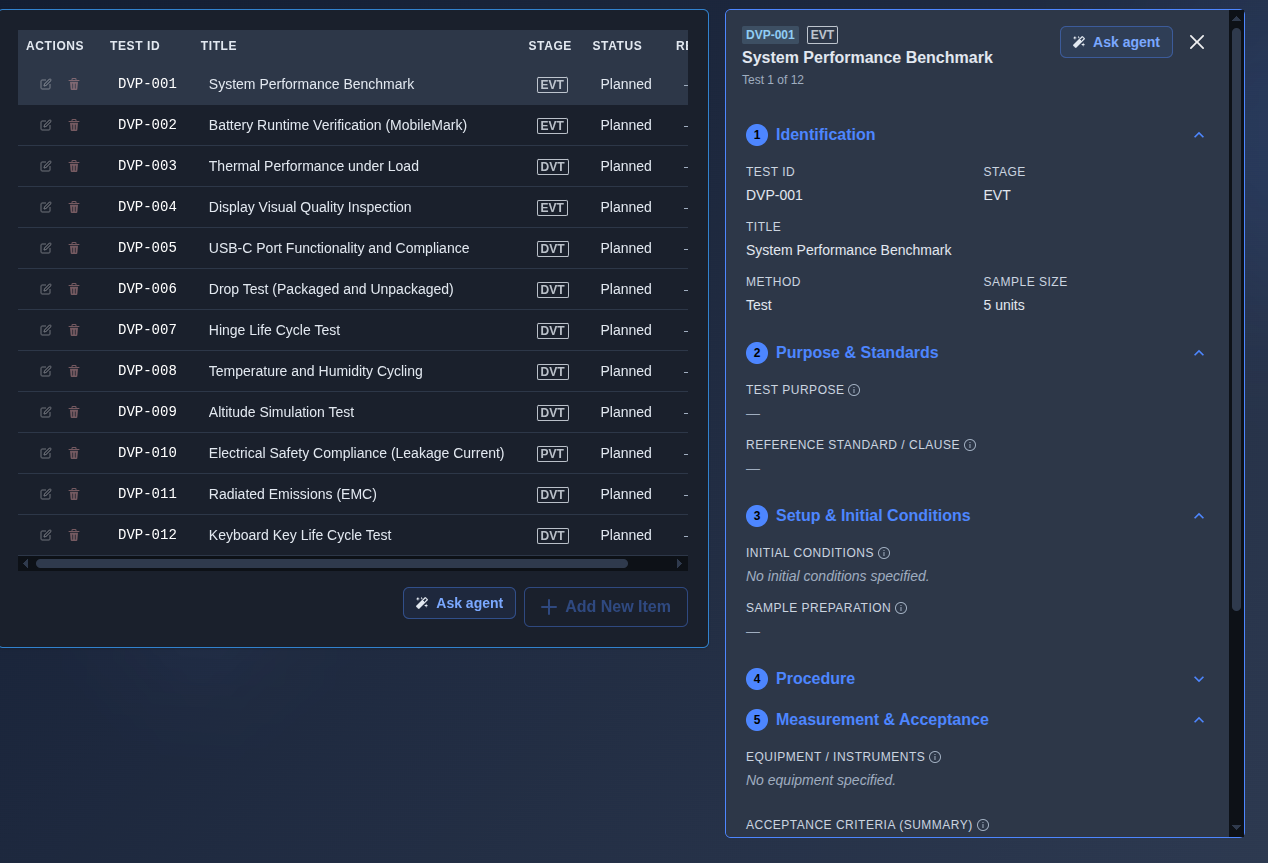
The verification plan where the traceability chain closes.
What it's for
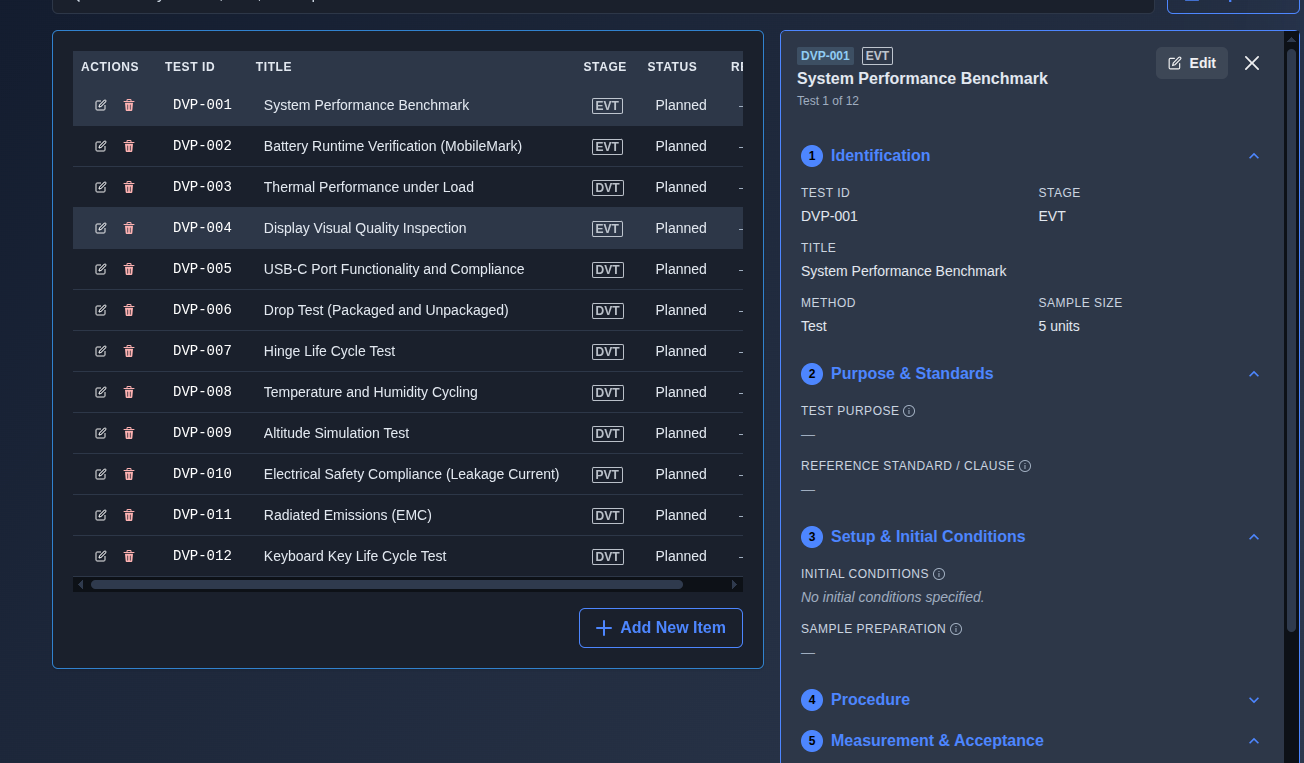
The evidence layer — the plan you hand to a verification engineer to execute. The grid shows Test ID, Title, Stage, Status, and Result; each test opens a slide-in detail panel with nine sections (Identification, Purpose & Standards, Setup & Initial Conditions, Procedure, Measurement & Acceptance, Linkages, Schedule & Resources, Execution & Result, and Approvers) and includes linked requirement and DFMEA-risk chips that trace back to their source.
When to use it
Use it once requirements — and ideally a DFMEA — are available, to define and document the verification evidence needed to demonstrate that the requirements are met.
How it works
-
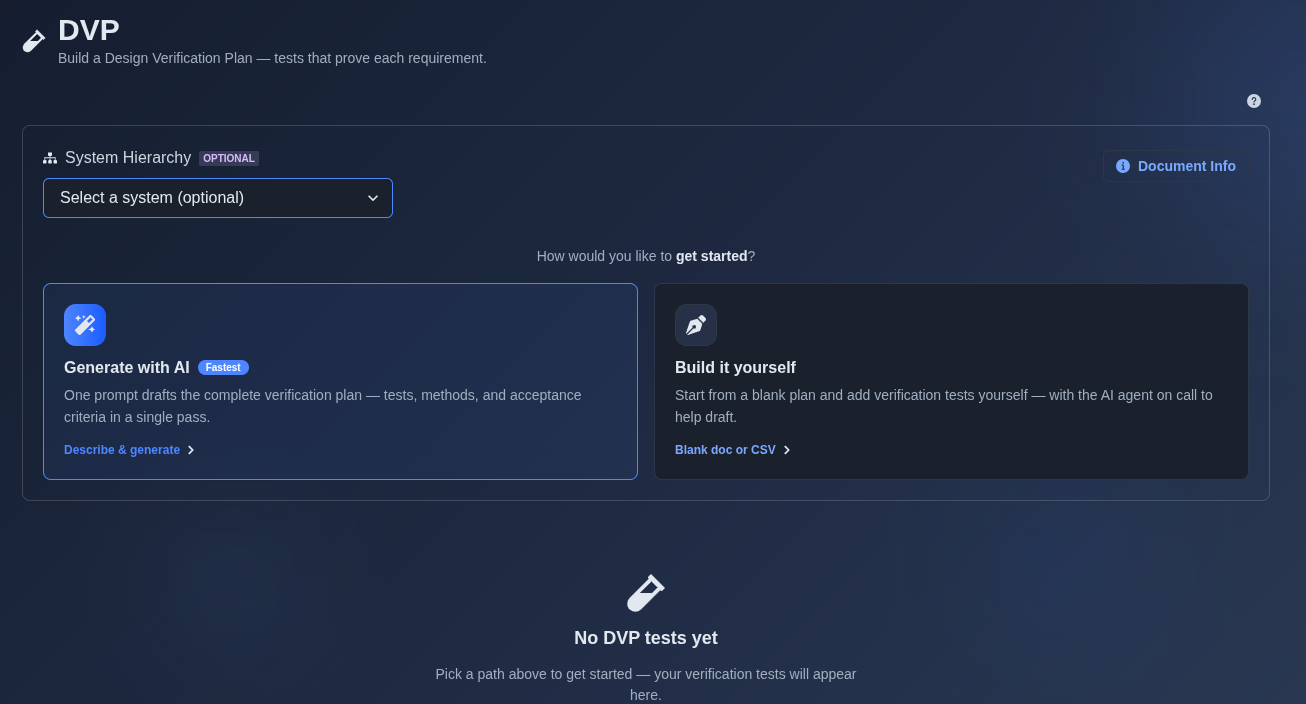
Generate with AI or build it yourself. → Select “Generate with AI” or “Build it yourself.” If “Generate with AI” is selected, enter a prompt describing the requirements or verification needs for which you want to create a Design Verification Plan (DVP). If “Build it yourself” is selected, choose “Create a blank document” to start with an empty verification plan and add tests manually, or choose “Import from CSV” to upload or paste existing verification tests.
▶ Initial state▼ Initial state
-
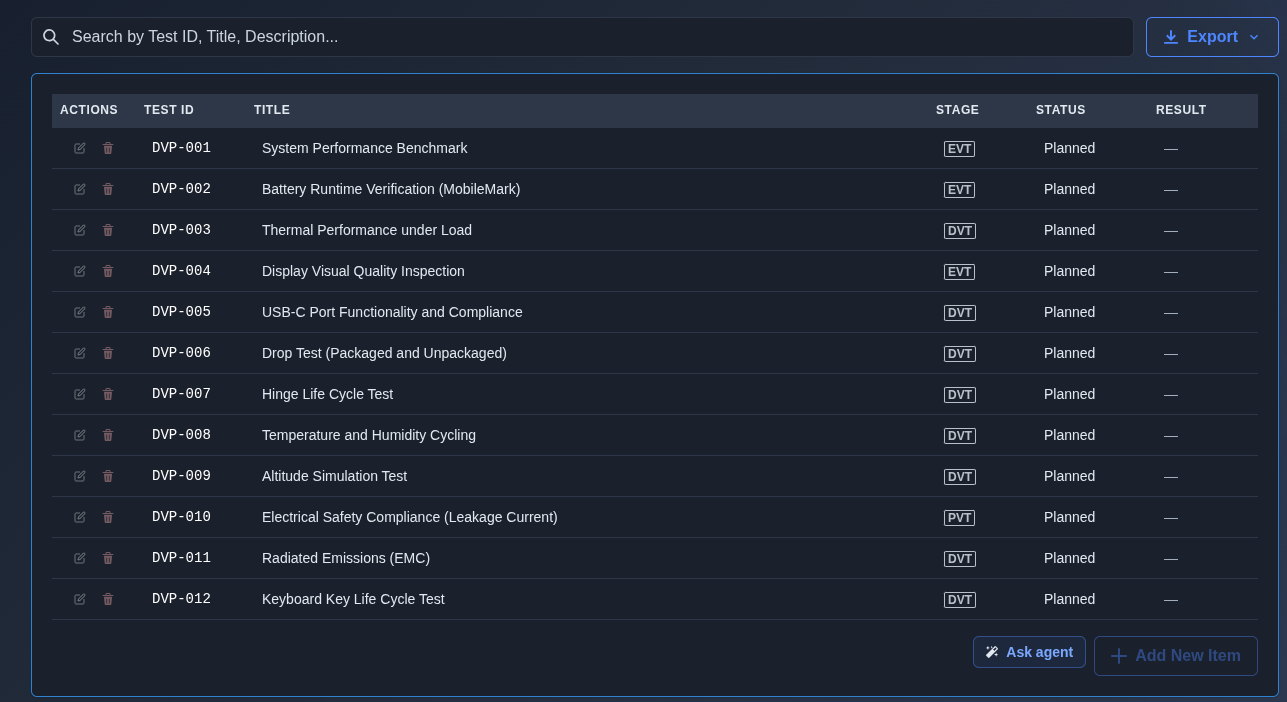
Master view → Review the generated verification tests in the master view, including the Test ID, Title, Stage, Status, and Result for each test. Use the search field to find tests by Test ID, title, or description.
▶ Master view▼ Master view
-
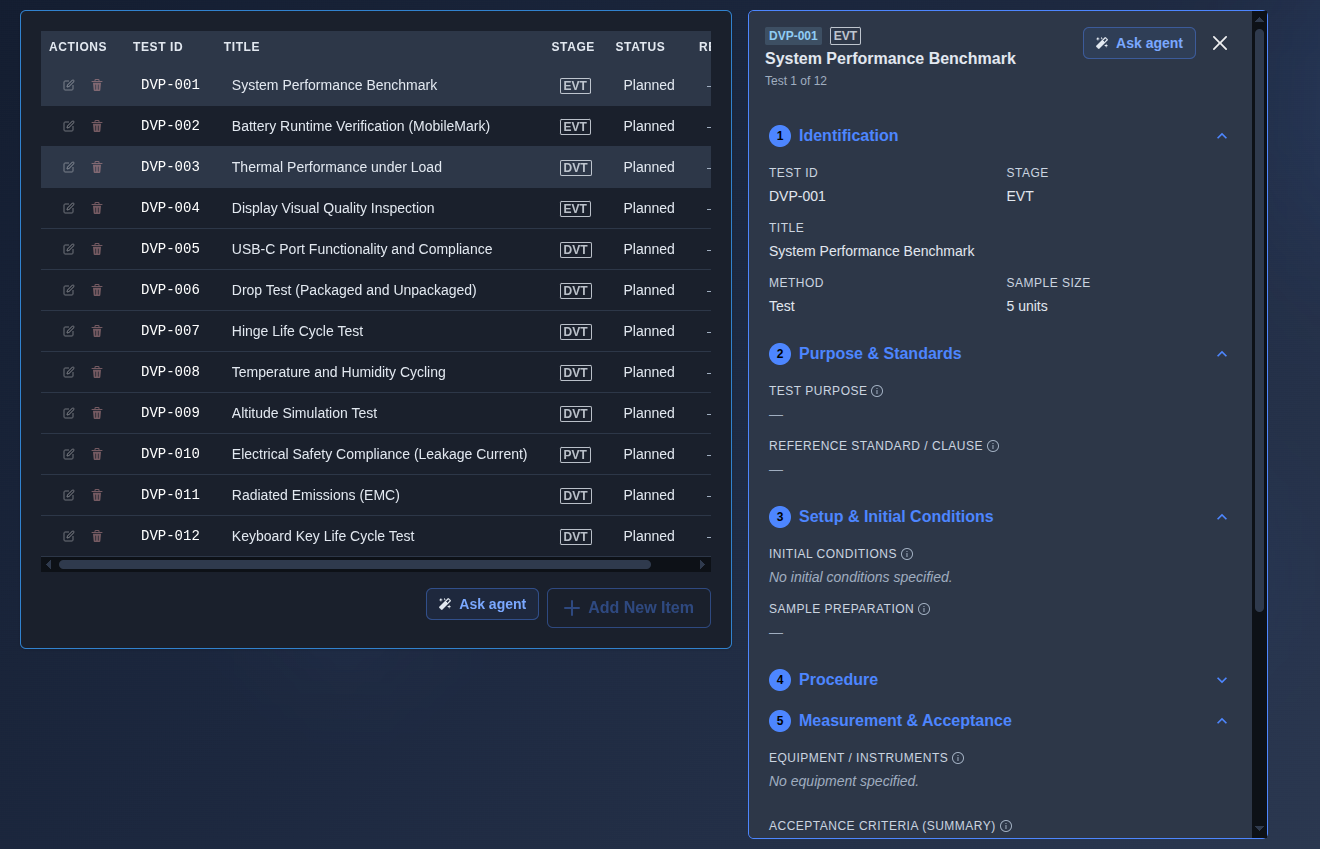
Detailed view → Click a Test ID to open its detail view. Review the verification test information across the sections: Identification, Purpose & Standards, Setup & Initial Conditions, Procedure, Measurement & Acceptance, Linkages, Schedule & Resources, Execution & Result, and Approvers. The details include the Test ID, Stage, Title, Method, Sample Size, test purpose, reference standard or clause, initial conditions, sample preparation, procedure, equipment or instruments, acceptance criteria, linked requirements, linked DFMEA risks, owner, test lab, planned dates, execution status and result, quantities tested/passed/failed, sample IDs or serial numbers, actual findings, test report number, deviations from plan, attachments, and approver information.
▶ Detailed view▼ Detailed view
-
Add, edit, or delete → For AI-generated DVP, Add, Edit, and Delete actions are disabled in the main prompt view and become available in the follow-on prompt view. For manually created DVP, Add, Edit, and Delete actions are available directly in the main DVP view.
▶ Add, edit, or delete▼ Add, edit, or delete
-
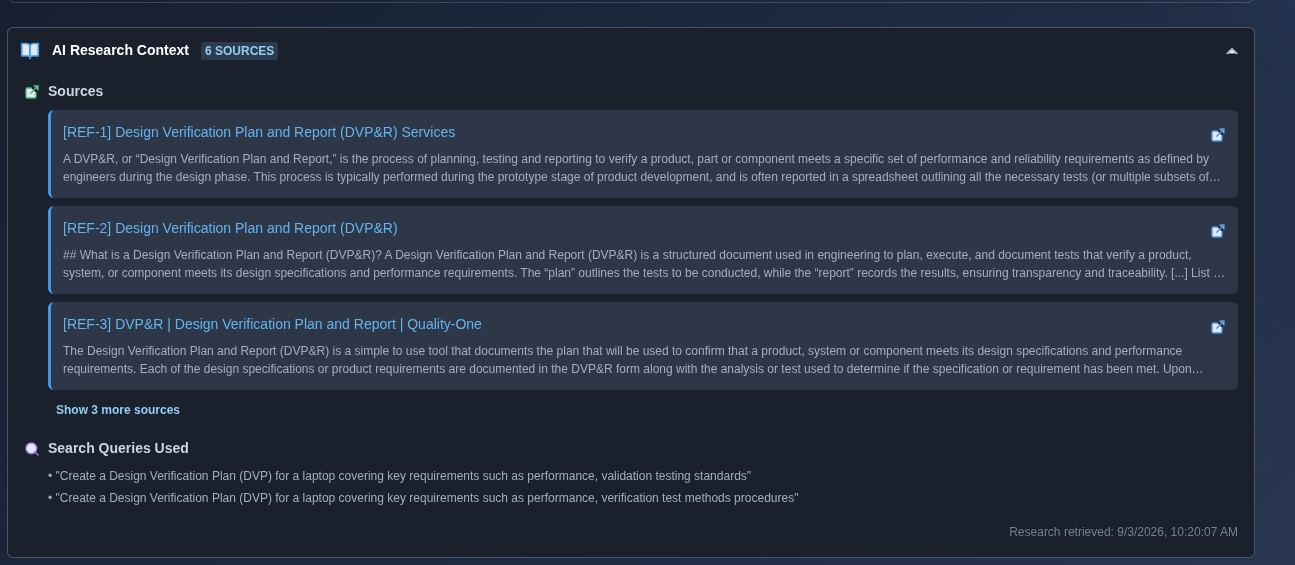
Open the AI Research Context. → Open “AI Research Context,” then click the arrow on its right side to expand the section and review the research sources, search queries, and retrieval time used by the AI when generating the DVP.
▶ AI Research Context▼ AI Research Context
-
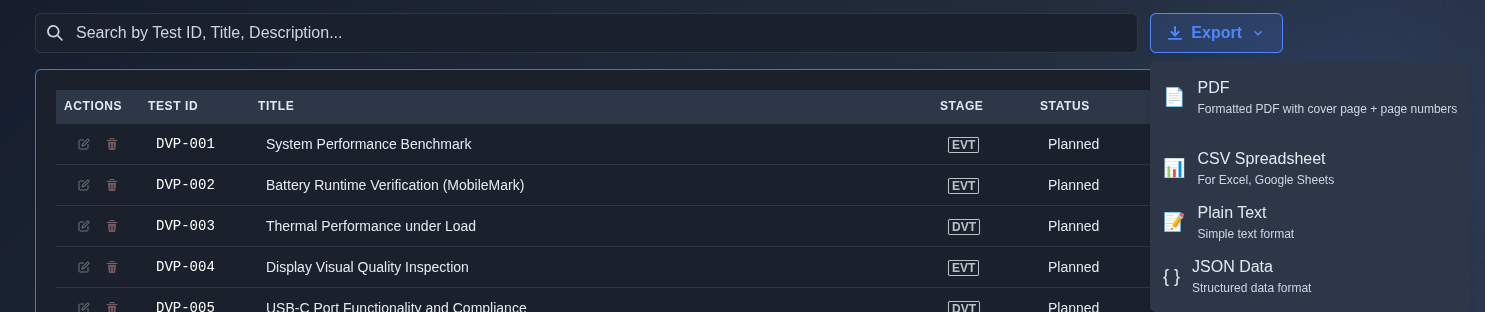
Export the DVP. → Click “Export” and select the required output format: “PDF” for a formatted document with a cover page and page numbers, “CSV Spreadsheet” for Excel or Google Sheets, “Plain Text” for a simple text format, or “JSON Data” for structured data.
▶ Export the DVP▼ Export the DVP
Mechanics
- Test grid: Test ID · Title · Stage · Status · Result
- Detailed test view with structured verification information
- Linked requirements and linked DFMEA risks per test
- Verification details: purpose · standards · conditions · procedure · acceptance · schedule · resources · results · approvers
- Add · Edit · Delete test entries
- AI-generated editing in follow-on prompt view · manual editing in the main view
- Search and filter verification tests
- AI Research Context with sources and search queries
- Export: PDF · CSV Spreadsheet · Plain Text · JSON Data