Gerber Analysis
Analyze a board’s Gerbers into a fabrication spec and an indicative estimate.
What it's for
Drop in a Gerber/PCB zip and AI extracts the full fabrication spec — base material, layers, board & dimensions, copper stackup, surface finish, drilling and special techniques — then produces an Indicative Estimate: a cost band with confidence, a Manufacturability score out of 100 with flagged issues, and a Basis grid. You can draft an RFQ to a supplier from it.
When to use it
Use Gerber Analysis when a PCB is ready to be analyzed for fabrication specifications, manufacturability, cost estimation, or supplier quoting.
How it works
-
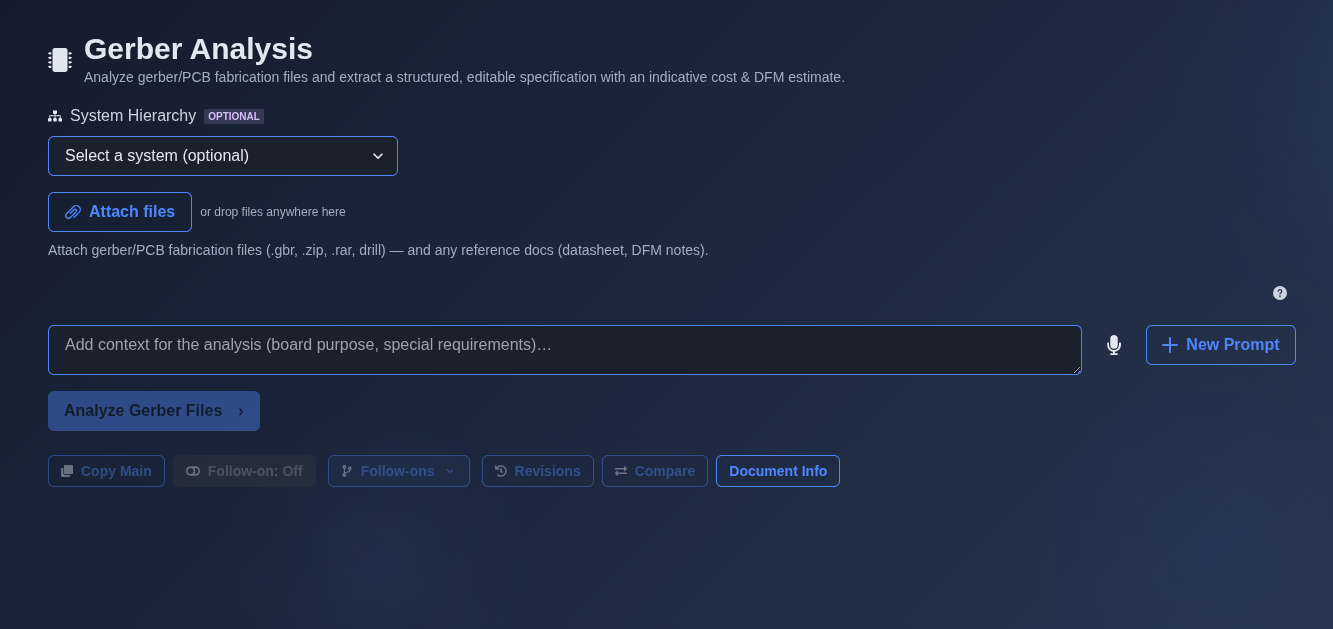
Select a system, attach the Gerber files, and add analysis context. → Optionally select a system from the “System Hierarchy.” Attach the Gerber/PCB fabrication files, such as .gbr, .zip, .rar, and drill files, along with any reference documents such as datasheets or DFM notes. Optionally enter additional context for the analysis, such as the board purpose or special requirements, and click “Analyze Gerber Files” to begin the analysis.
▶ Initial state▼ Initial state
-
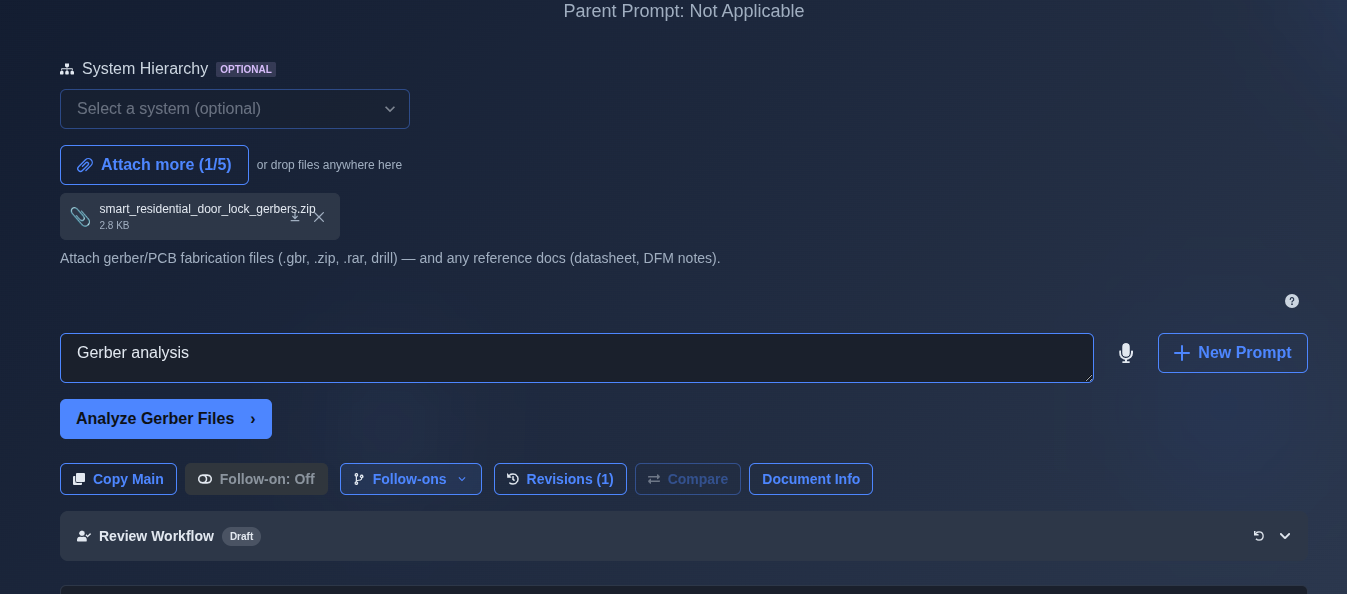
Attach the Gerber file and run the AI analysis. → Attach the Gerber/PCB fabrication file, such as the uploaded “smart_residential_door_lock_gerbers.zip,” and enter any additional analysis context if required. Click “Analyze Gerber Files” to run the AI analysis and generate the Gerber analysis results.
▶ Attach the Gerber file and run the AI analysis▼ Attach the Gerber file and run the AI analysis
-
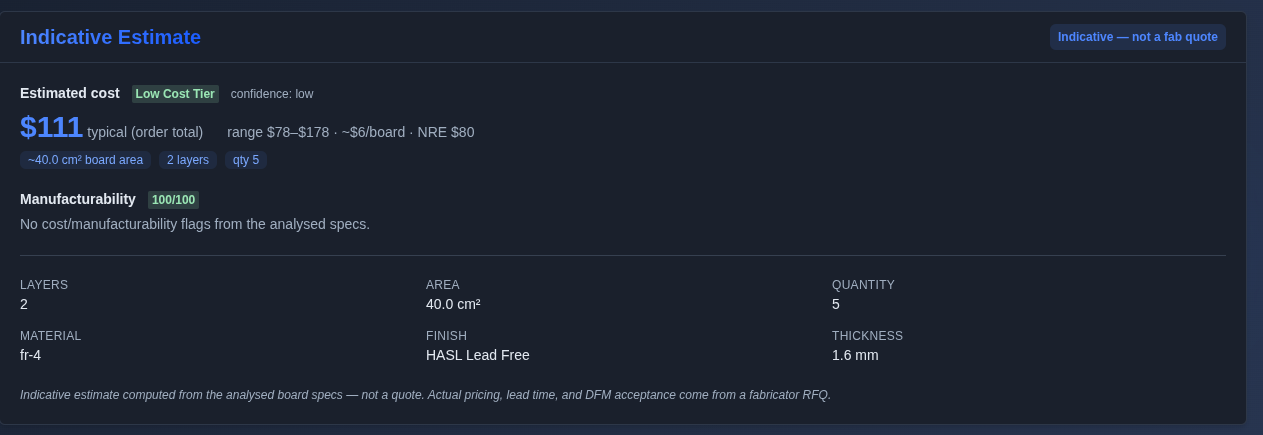
Indicative Estimate. → “Indicative Estimate” section, which summarizes the estimated cost, cost range, confidence, board area, layer count, quantity, manufacturability score, material, finish, and board thickness. The estimate is indicative and not a fabrication quote.
▶ Indicative Estimate▼ Indicative Estimate
-
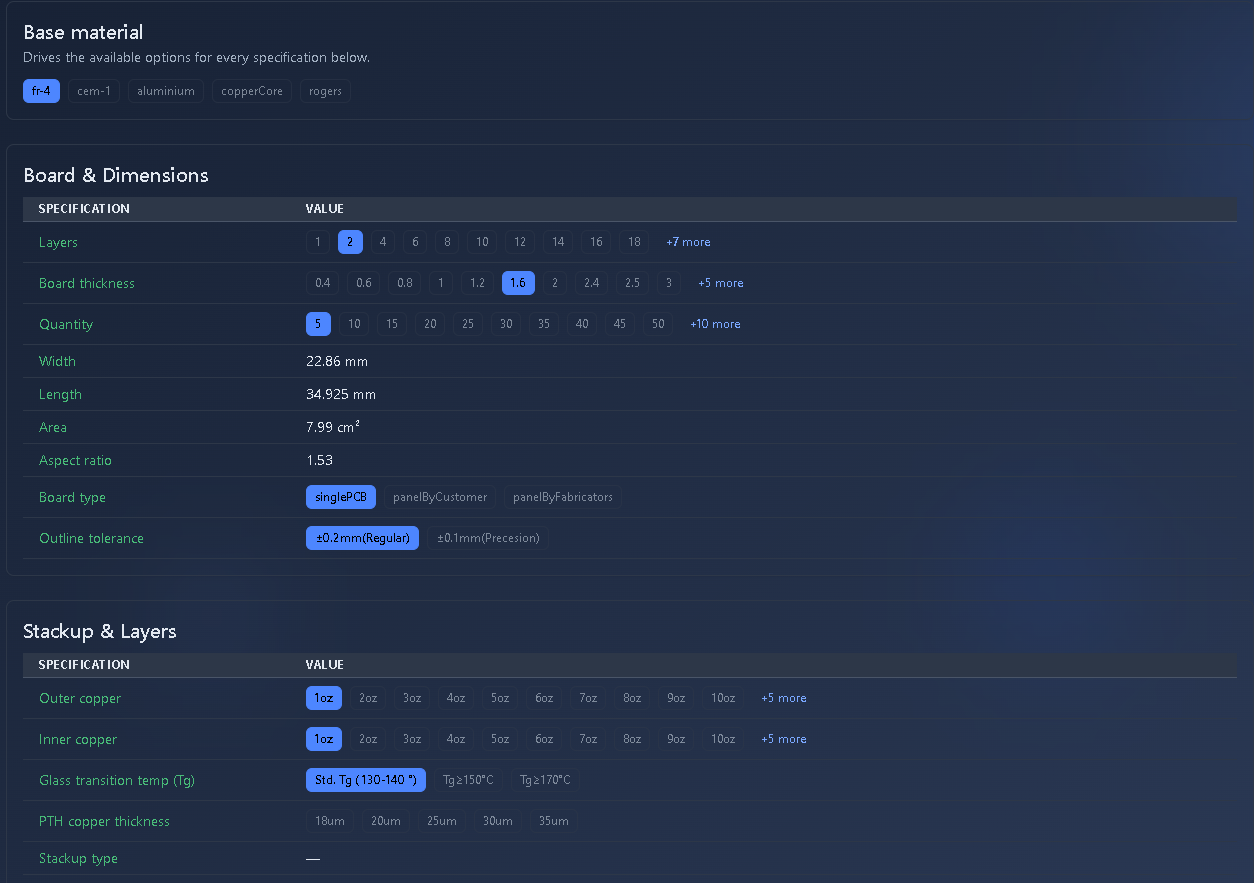
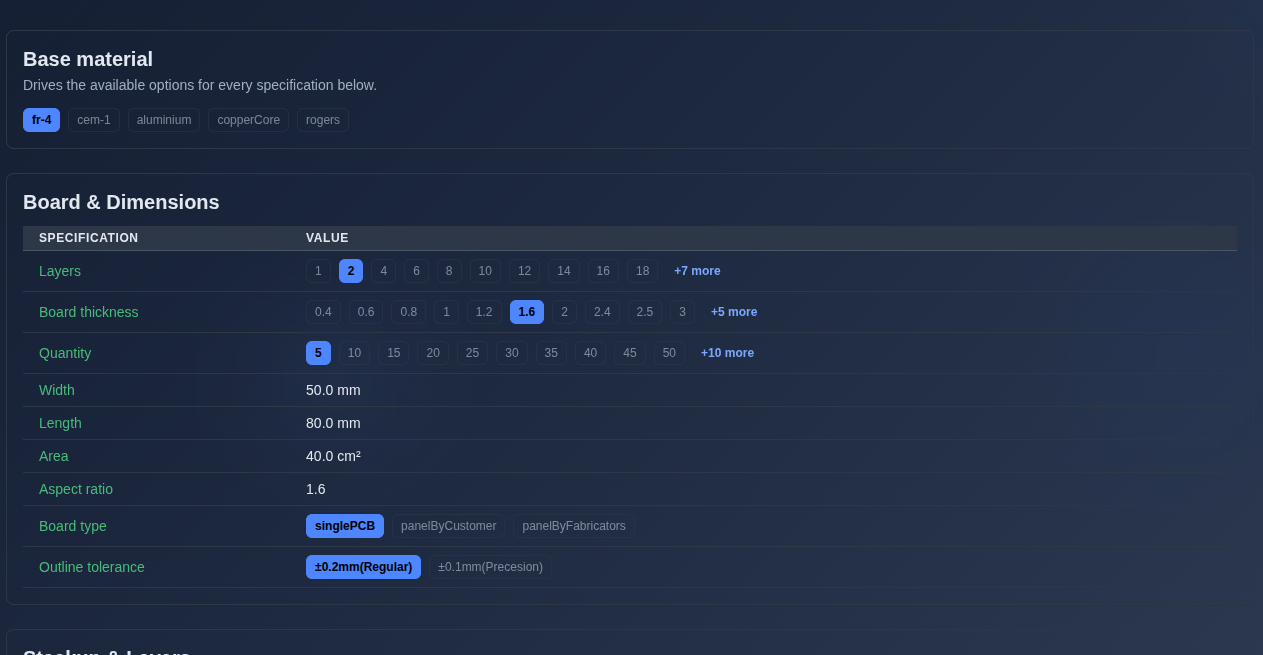
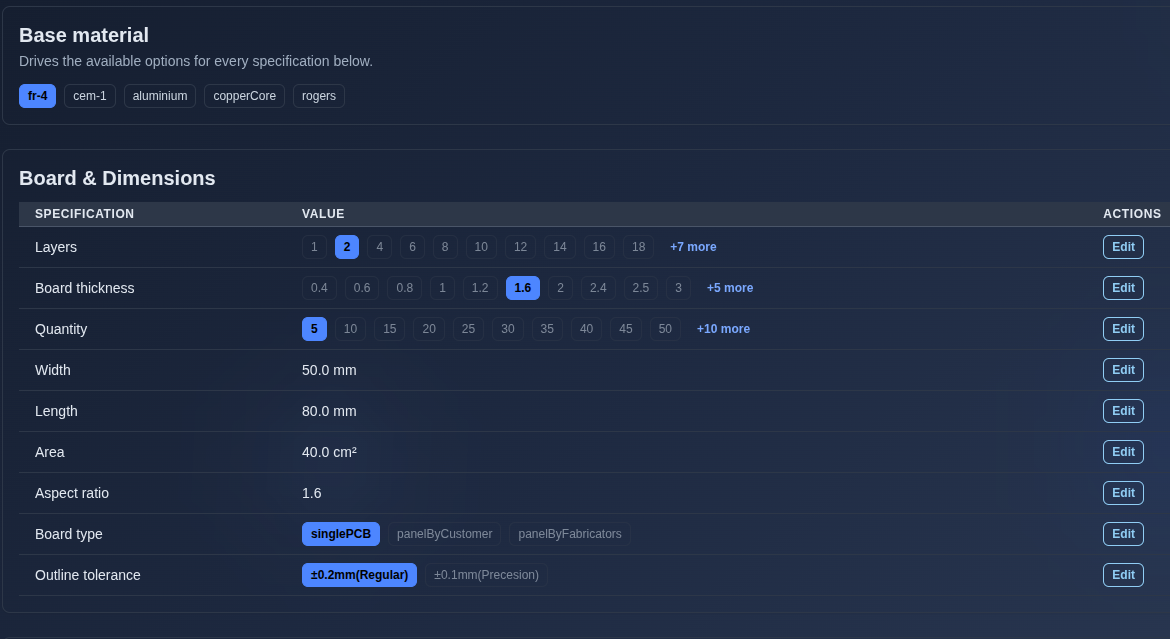
Base material and Board & Dimensions sections. → “Base material” section to see the selected material and available material options.“Board & Dimensions” section for the board specifications, including layers, board thickness, quantity, width, length, area, aspect ratio, board type, and outline tolerance.
▶ Base material and Board & Dimensions sections.▼ Base material and Board & Dimensions sections.
-
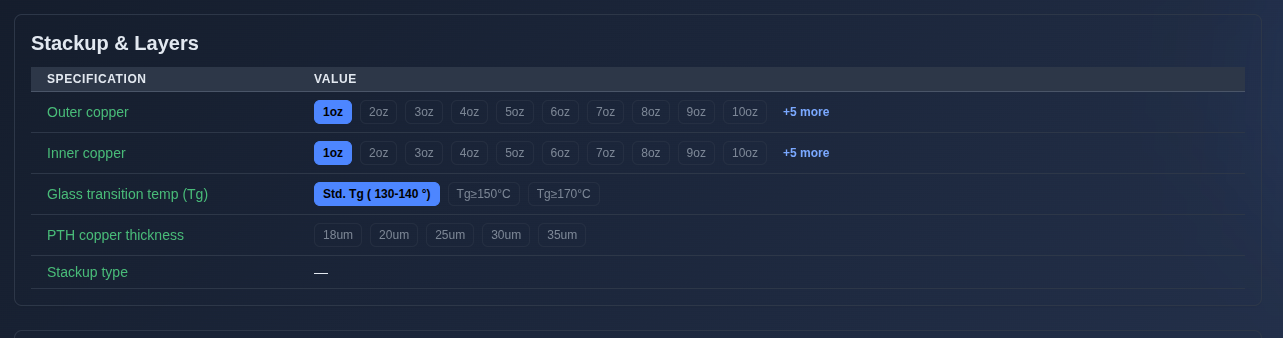
Stackup & Layers section. → “Stackup & Layers” section, including Outer copper, Inner copper, Glass transition temperature (Tg), PTH copper thickness, and Stackup type specifications.
▶ Stackup & Layers section.▼ Stackup & Layers section.
-
Materials section. → “Materials” section, including Peel-off strength, Thermal conductivity, and Withstand voltage specifications.
▶ Materials section.▼ Materials section.

-
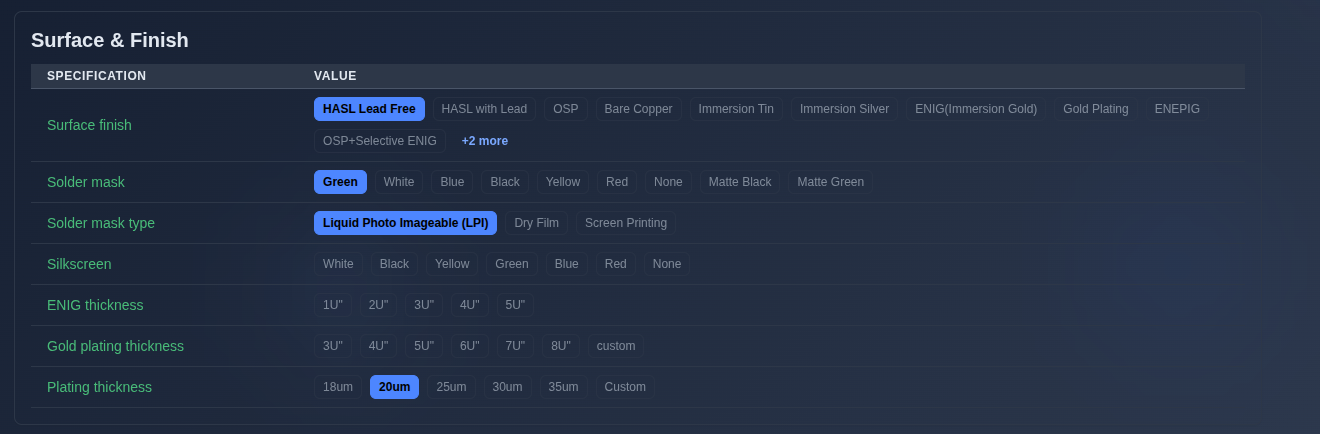
Surface & Finish section. → “Surface & Finish” section, including Surface finish, Solder mask, Solder mask type, Silkscreen, ENIG thickness, Gold plating thickness, and Plating thickness specifications.
▶ Surface & Finish section.▼ Surface & Finish section.
-
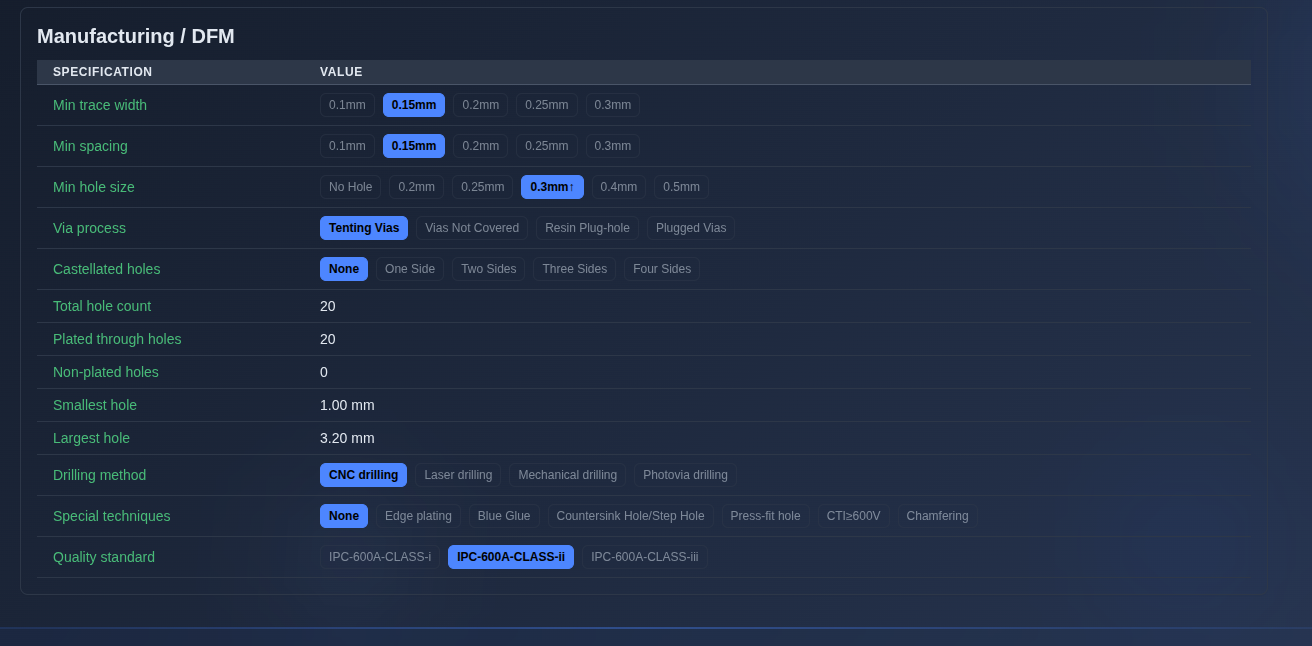
Manufacturing / DFM section. → Review the “Manufacturing / DFM” section, including Min trace width, Min spacing, Min hole size, Via process, Castellated holes, Total hole count, Plated through holes, Non-plated holes, Smallest hole, Largest hole, Drilling method, Special techniques, and Quality standard specifications.
▶ Manufacturing / DFM section.▼ Manufacturing / DFM section.
-
Edit the Gerber analysis specifications. → In follow-on mode, click “Edit” for a specification to modify its value. The Edit controls are not available in the main prompt view.
▶ Edit the Gerber analysis specifications.▼ Edit the Gerber analysis specifications.
-
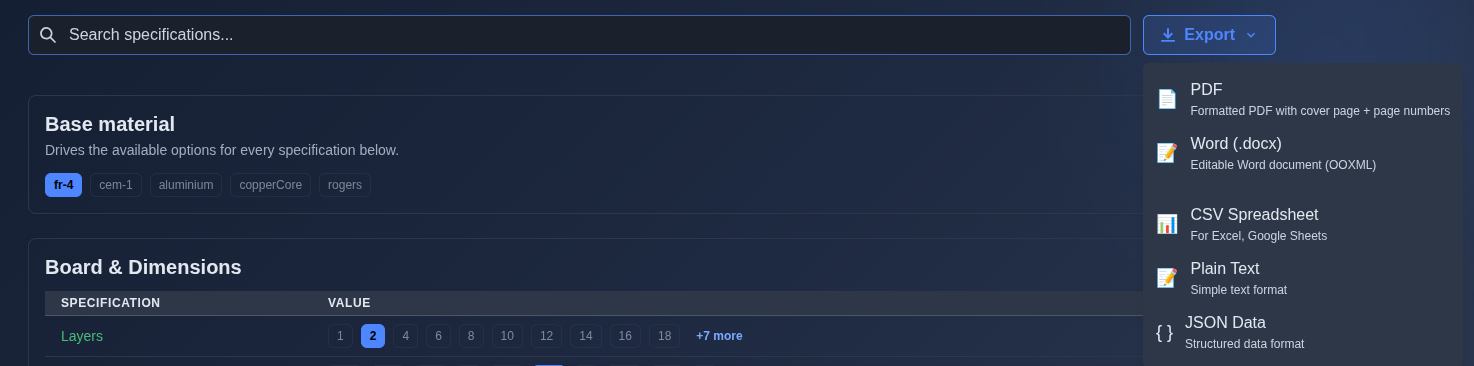
Export the Gerber analysis. → Click “Export” and select the required output format: “PDF” for a formatted PDF with a cover page and page numbers, “Word (.docx)” for an editable Word document, “CSV Spreadsheet” for Excel or Google Sheets, “Plain Text” for a simple text format, or “JSON Data” for structured data.
▶ Export the Gerber analysis.▼ Export the Gerber analysis.
Mechanics
- Gerber file upload and AI-powered analysis
- Automatic extraction of PCB fabrication specifications
- Board dimensions, materials, layers, and stackup details
- Surface finish and plating specifications
- Manufacturing and DFM specifications
- Indicative cost estimate and manufacturability score
- AI-generated fabrication analysis results
- Export: PDF · Word · CSV · Plain Text · JSON
- Revisions · Compare · Document Info